
Faster checkout
Help staff move customers through the till more quickly during busy periods, without slowing service down at the final step.
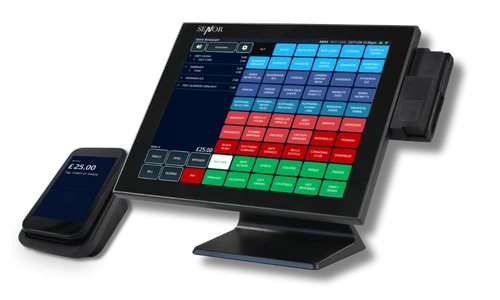
Connect Dojo with TapaPOS to keep checkout moving, reduce double entry, and give staff a smoother payment flow at the till, table, or counter.
For bars, restaurants, cafes, and retail sites that want quick service and cleaner card-payment handling, this setup helps payments feel more connected to day-to-day trading.
Book a DemoAt a glance
TapaPOS can work with Dojo to support connected card-payment workflows, faster checkout, and clearer payment visibility without relying on manual re-keying.
The value is not just having a card machine on site. It is about making checkout faster, reducing avoidable payment mistakes, and keeping card activity better connected to the sale.
Help staff move customers through the till more quickly during busy periods, without slowing service down at the final step.

Reduce the need to type card totals into a separate terminal manually, helping avoid simple mistakes at the point of payment.

Make card and contactless payments feel like part of the normal checkout flow rather than a disconnected extra step for the team.

Useful in hospitality environments where speed at the counter, bar, or table directly affects customer experience and repeat spend.

Help managers keep card payments and till activity better aligned, which makes balancing up and reviewing payment performance easier.

If Dojo is already part of the business setup, the aim is to make it work more cleanly alongside the wider TapaPOS operation.
Dojo integration is most useful where the payment experience needs to stay quick, accurate, and low-friction for both staff and customers.
In short, this is about making card payments feel quicker and more connected to the way the venue actually trades.

Explore the wider TapaPOS payment setup, compare provider options, and see where Dojo fits into integrated and standalone card workflows.
See how connected card payments fit into TapaPOS across tills, handhelds, pay-at-table, and back-office reporting.
Browse the wider payments category including Dojo, Worldpay, TapaPay, and other supported payment providers.
See the dedicated Dojo switch page for businesses reviewing other EPOS options and payment-provider fit.
FAQ
Yes. TapaPOS can work with Dojo as part of a connected card-payment workflow, helping checkout feel faster and more joined up.
Yes. One of the main goals is to reduce re-keying between the EPOS and the terminal so staff can process payments with fewer avoidable errors.
Yes. It is especially useful for bars, restaurants, cafes, and quick-service businesses where payment speed affects service flow.
Yes. Card and contactless payment handling can be part of the setup, helping teams keep checkout simple for customers.
Yes, the terminal can't be used while processing a card transaction. If you want a more seamless payment experience without tying up the till at checkout, speak to us about TapaPay.
That depends on your current provider, fee structure, terminal needs, and how tightly you want payments connected to the wider TapaPOS setup. Our team can talk that through with you.