Finalise an Order
Finalise an order after it has been completed so it is removed from the active order workflow. Paid orders can remain visible in the order list until they are finalised.
Payment and finalising are separate steps. An order can be fully paid with a balance of 0.00 and still remain in Orders until Finalise is selected.
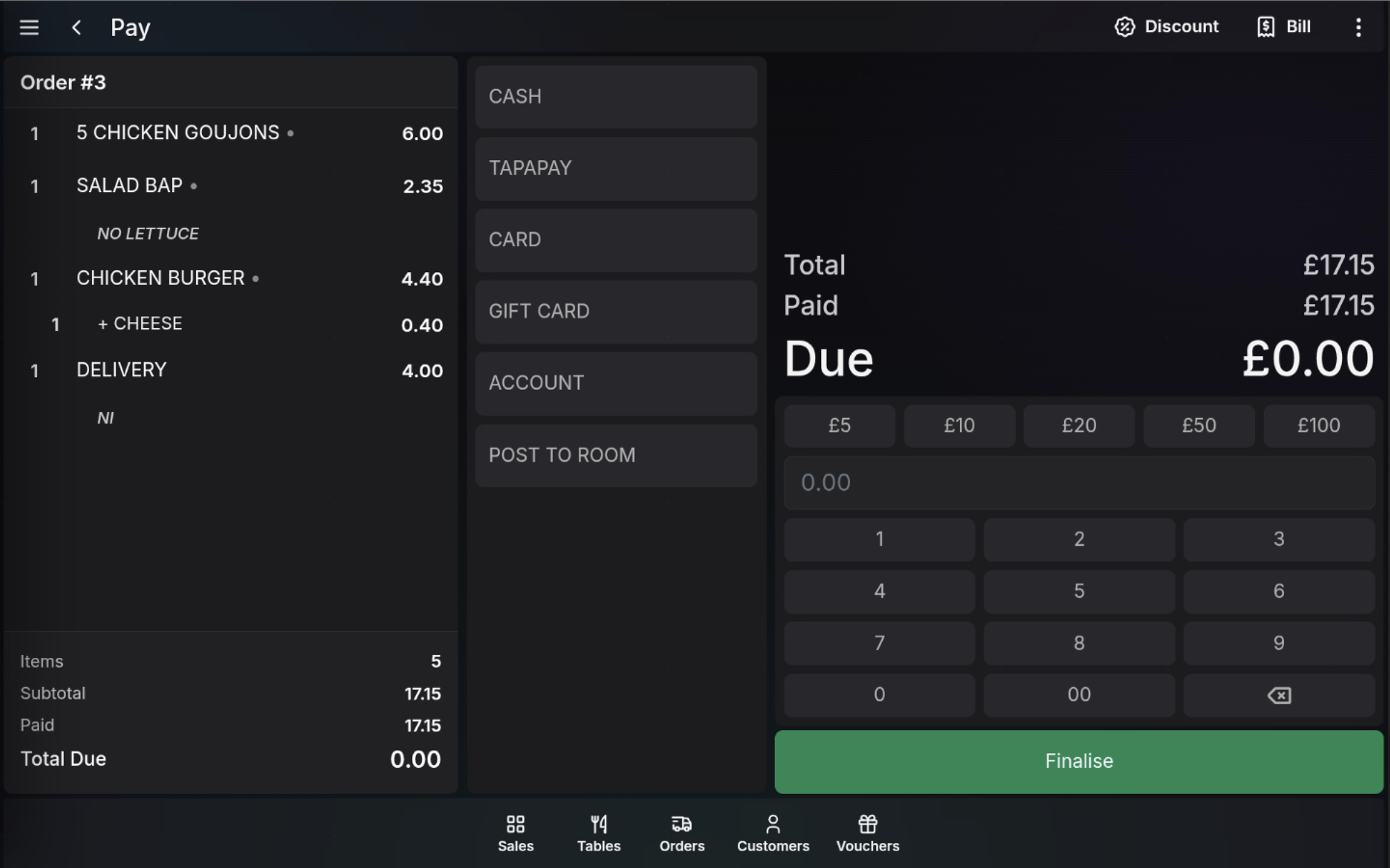
Finalise from the payment screen
- Open the order and choose Pay.
- Take payment using the required tender.
- Check that Due is 0.00.
- Choose Finalise.
Finalise from order preview
- Open Orders.
- Select the paid order from the order list.
- Open the order preview or detail panel.
- Choose Finalise when the order is complete.
When to finalise
Finalise the order when the site has finished handling it, such as after the customer has collected it, the delivery has left, or the in-store order is complete.
Watch in action
FAQ
Can I finalise an unpaid order?
No. The order must be fully paid before it can be finalised.
Why is a paid order still visible?
Payment and finalising are separate steps. A paid order remains visible until Finalise is selected.