Finishing a Sale
Once all products have been added, finish the sale by reviewing the transaction, selecting the payment method, and completing the payment.
Review the sale
Before taking payment, check the items and sale total.
- On larger screens, review the transaction grid.
- On smaller devices, review the transaction before paying.
Take payment
-
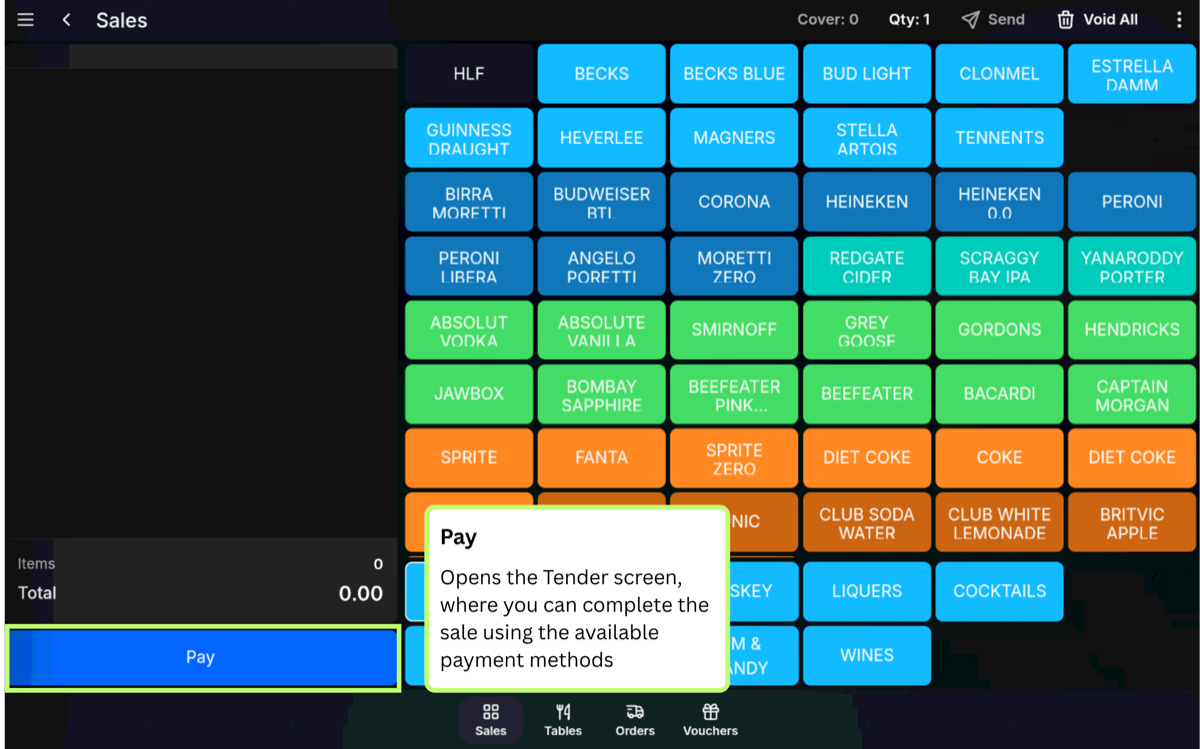
Press Pay.
-
Select the customer payment method.
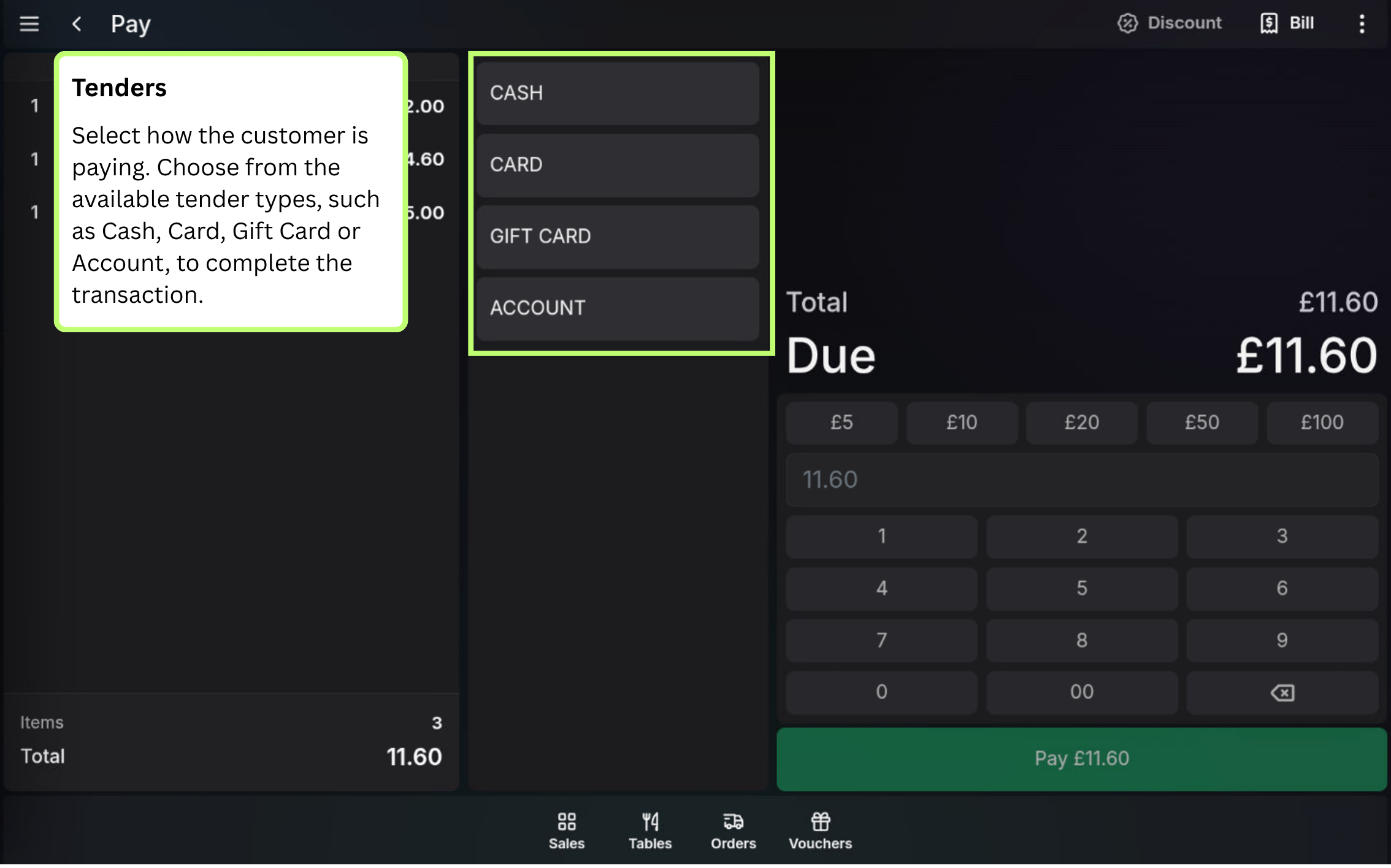
- Complete the payment using the prompts for that tender type.
Example: A customer may pay by cash, card, voucher, customer account, or another tender type configured for your site.
FAQ
What if the sale total is wrong?
Correct the items, quantities, or voids before completing the payment.
Are all payment methods the same?
No. Each tender type can have its own steps, prompts, and restrictions. Cash, card, and other tender articles explain those flows separately.