Issue a Gift Voucher
Issue a voucher from POS by choosing a template, confirming the voucher details, entering recipient information, and taking payment for the activation.
Select a voucher
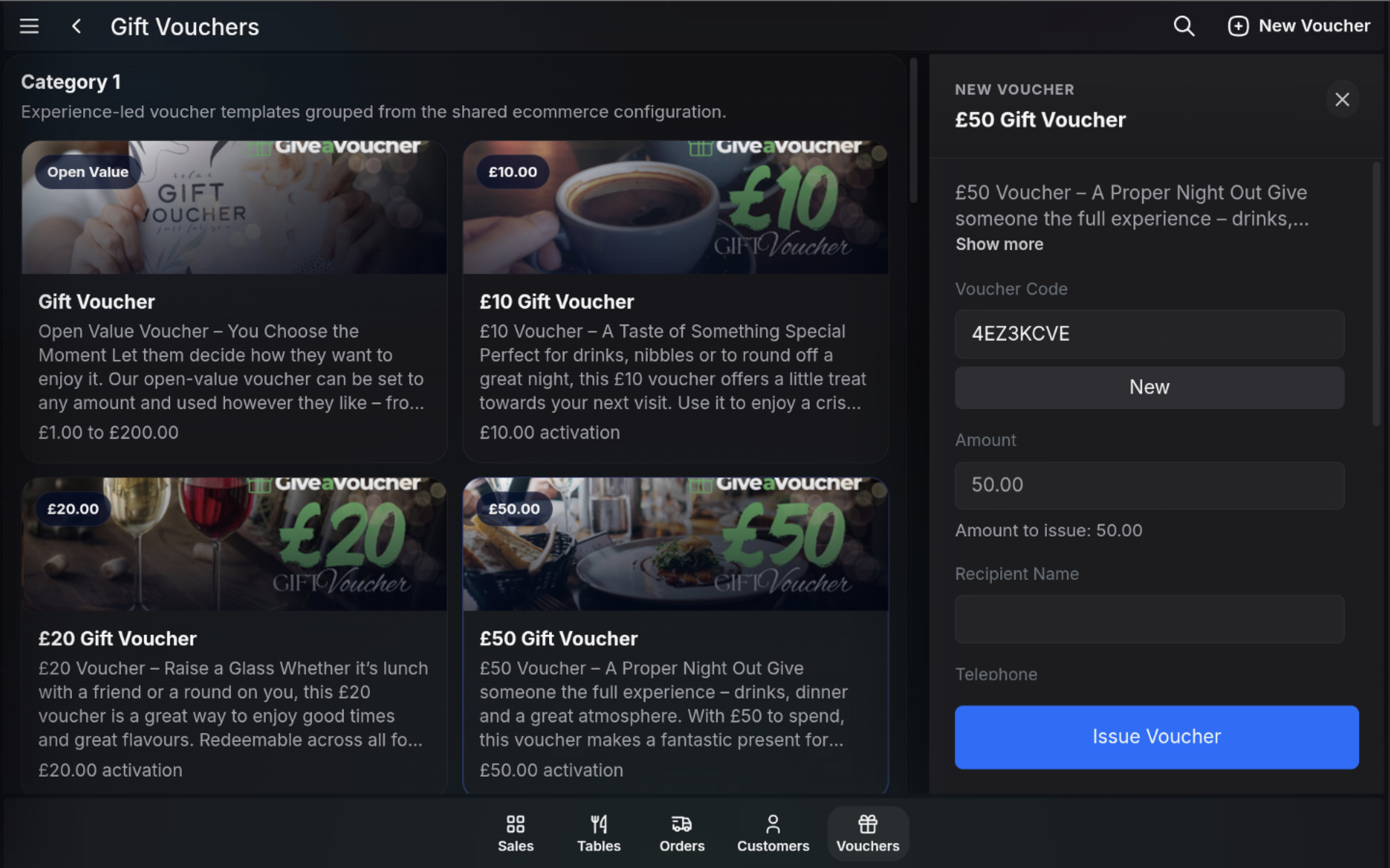
- Open Gift Vouchers.
- Select the required voucher template from the gallery.
- Check the voucher description and amount on the New Voucher panel.
- Use New to generate a new voucher code if required.
Enter recipient details
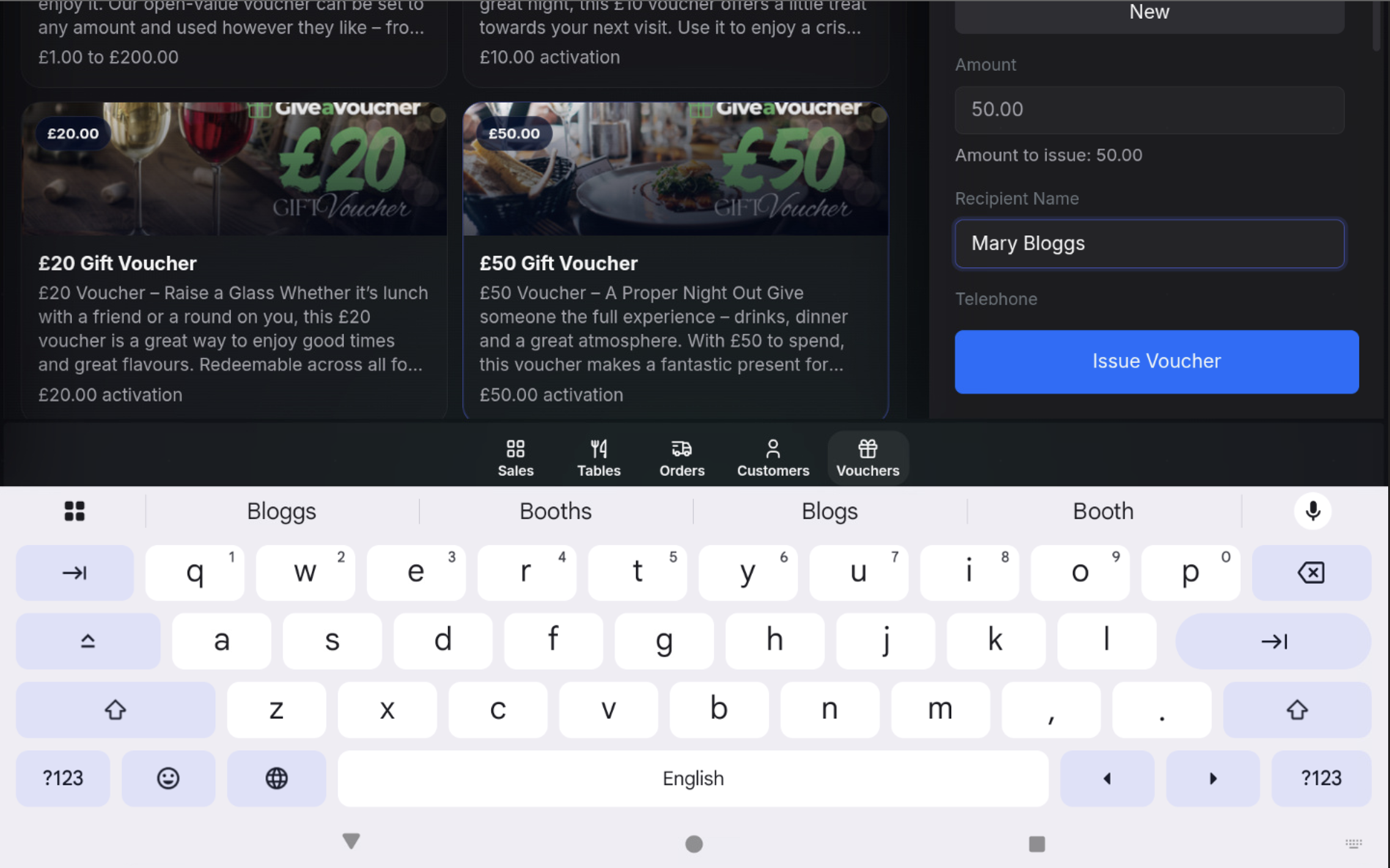
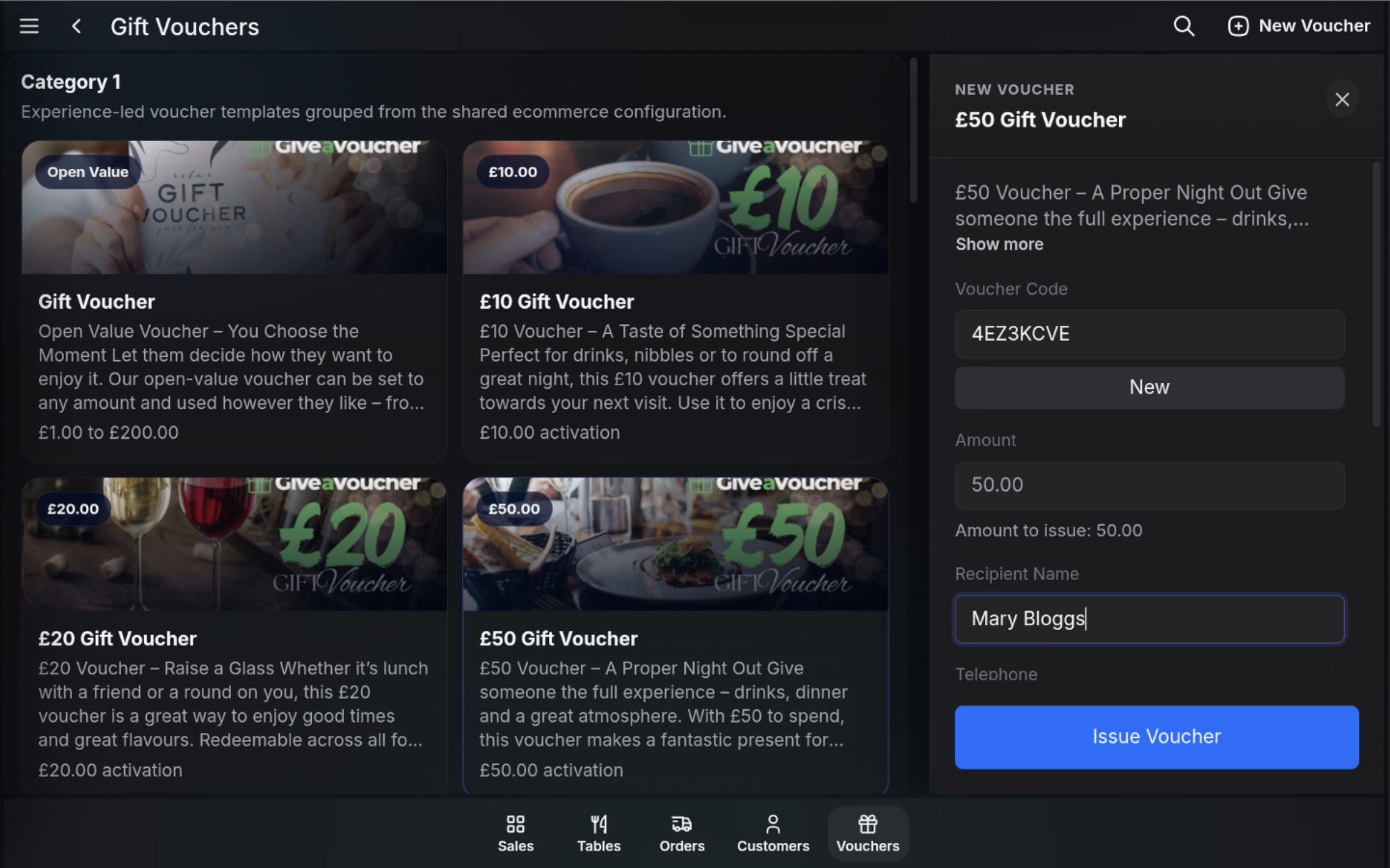
- Enter the Recipient Name.
- Enter any other required contact details, such as telephone.
- Check the Amount to issue.
Issue the voucher
- Choose Issue Voucher.
- The POS adds the voucher activation to the live sale.
- Review the sale total before taking payment.
Take payment
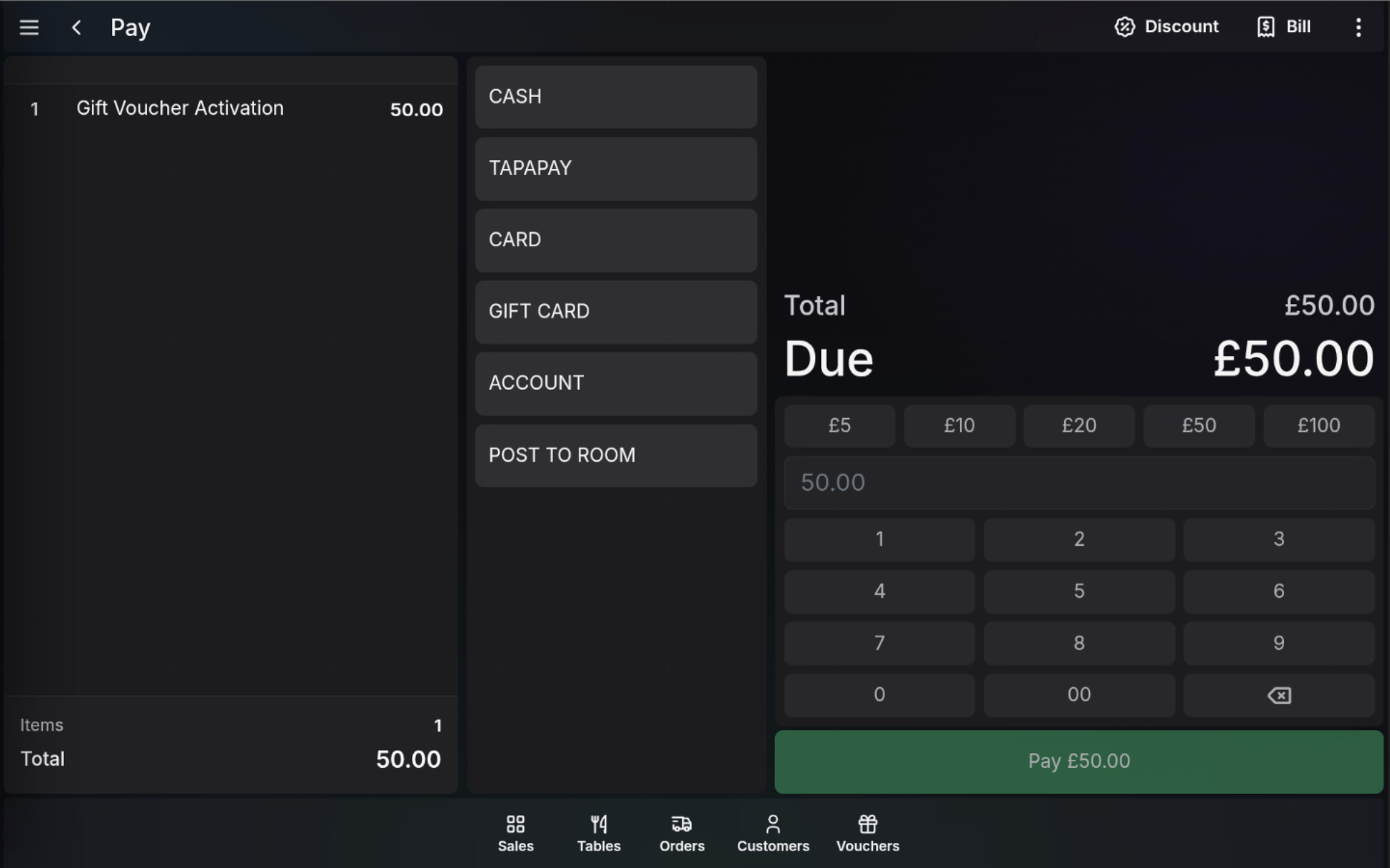
- Open the payment screen for the voucher activation sale.
- Choose the required tender.
- Take payment for the full voucher activation amount.
- Complete the sale and issue the receipt according to the normal POS payment flow.
FAQ
When is the voucher activated?
The voucher activation is added to the live sale when you issue the voucher. Complete payment to finish the voucher sale.
Can I change the voucher amount?
Open-value vouchers can be set within their configured limits. Fixed-value vouchers use the amount set on the template.
Which payment methods can be used?
Use the tender methods available on the POS, such as cash, card, TapaPay, account, or other configured tenders.