Navigating Transactions
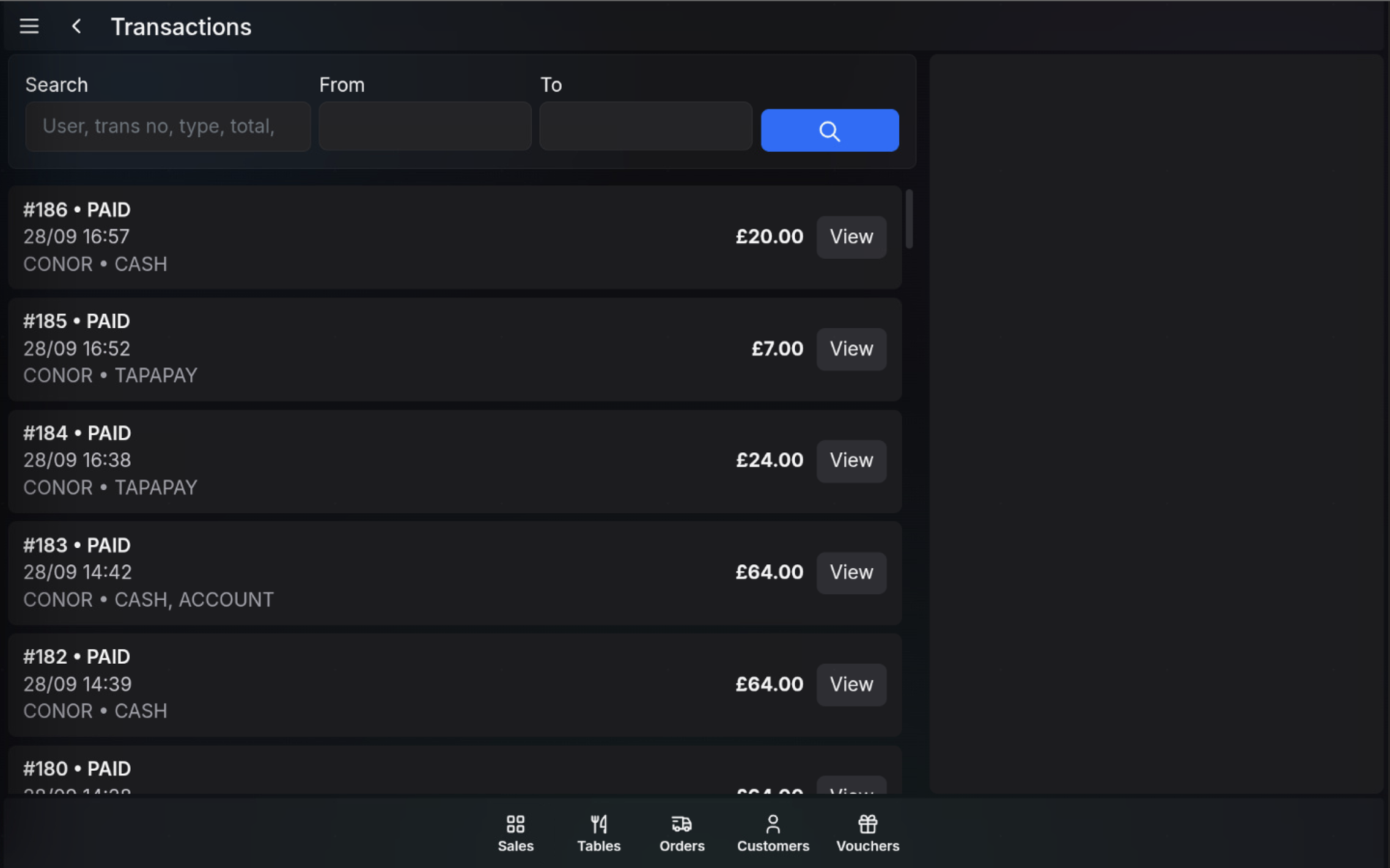
The Transactions screen is used to find completed sales and review their payment status, transaction number, operator, tender type, and total.
Open Transactions
- Open the POS.
- Open the Functions menu.
- Select Transactions.
Transaction list
Each transaction row shows the transaction number, status, date and time, operator, tender type, total, and a View button.
- Search filters by user, transaction number, type, total, or other matching transaction text.
- From and To limit the list to a date range.
- View opens the selected transaction for item and payment review.
FAQ
What transactions appear in the list?
The list shows completed transactions available on the POS, including the transaction number, status, time, operator, tender type, and total.
What does View do?
View opens the selected transaction so you can review the items, totals, and payment details.