Order Finalise Bulk
Use bulk finalise when several orders have already been paid and are ready to be closed together.
Only fully paid orders available to this terminal can be selected. Orders that still need payment must be paid before they can be finalised.
Open bulk finalise
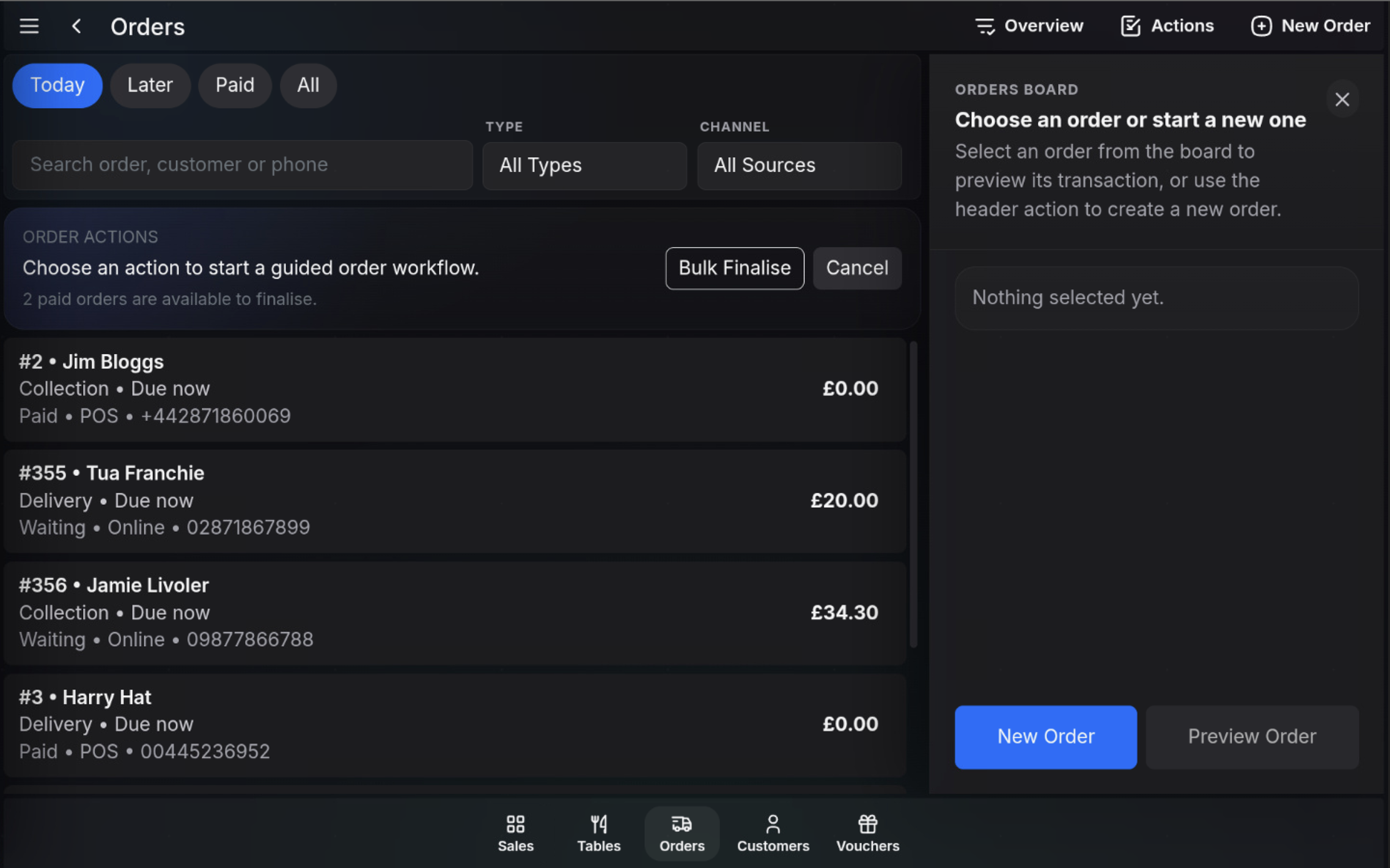
- Open Orders from the bottom menu.
- Choose Actions.
- Check the prompt showing how many paid orders are available to finalise.
- Choose Bulk Finalise.
Select orders
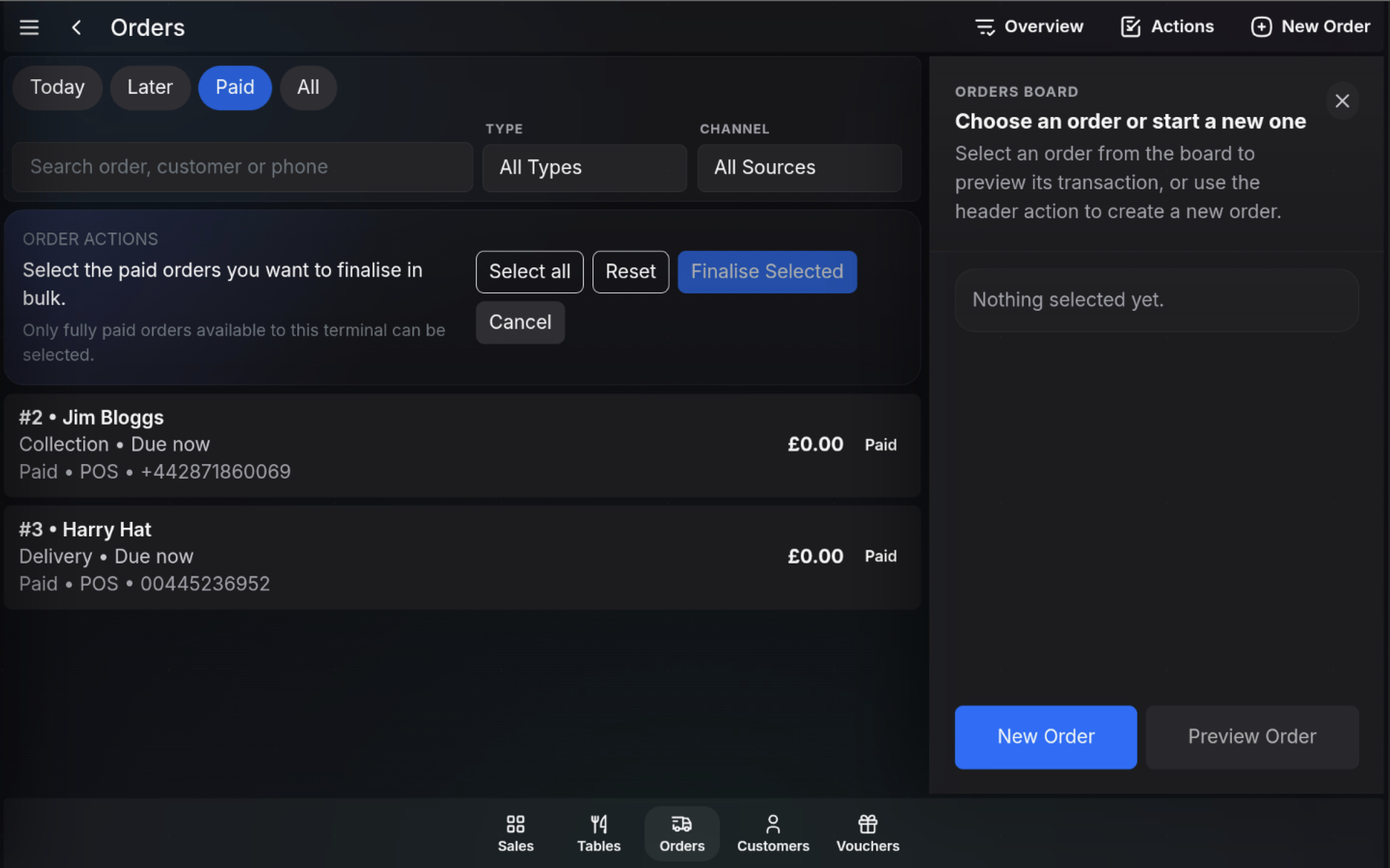
- Select each paid order you want to close.
- Use Select all to select every available paid order.
- Use Reset to return the selection workflow to the starting state.
- Use Cancel to leave bulk finalise without closing any orders.
Finalise the selected orders
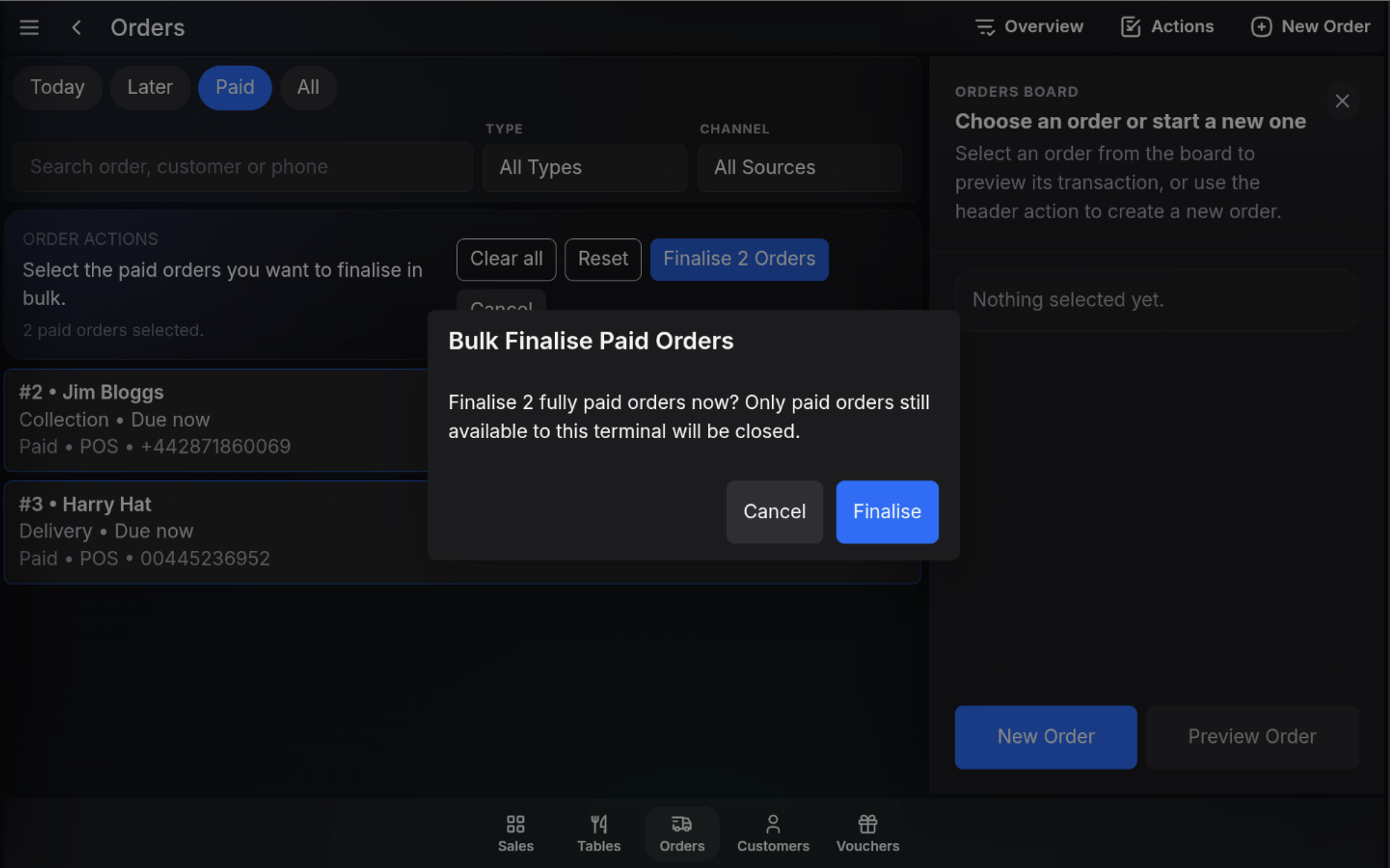
- Check the selected order count.
- Choose Finalise Selected, or the button showing the number of selected orders.
- Read the confirmation message.
- Choose Finalise to close the selected paid orders.
After finalising
The selected paid orders are closed and removed from the active order workflow. Any orders that were not selected remain in the list.
Watch in action
FAQ
Which orders can be selected for bulk finalise?
Only fully paid orders available to this terminal can be selected.
What happens to orders I do not select?
Orders that are not selected remain in the order list and can be handled later.