Orders Overview
The Orders Overview screen gives a summary of the current filtered order list. Use it to see what needs prepared and how many orders, open orders, due-today orders, and items are included in the current filter.
Open Orders Overview
- Open Orders.
- Select Overview from the top-right toolbar.
- Use search, fulfilment, and order type filters to control what the overview includes.
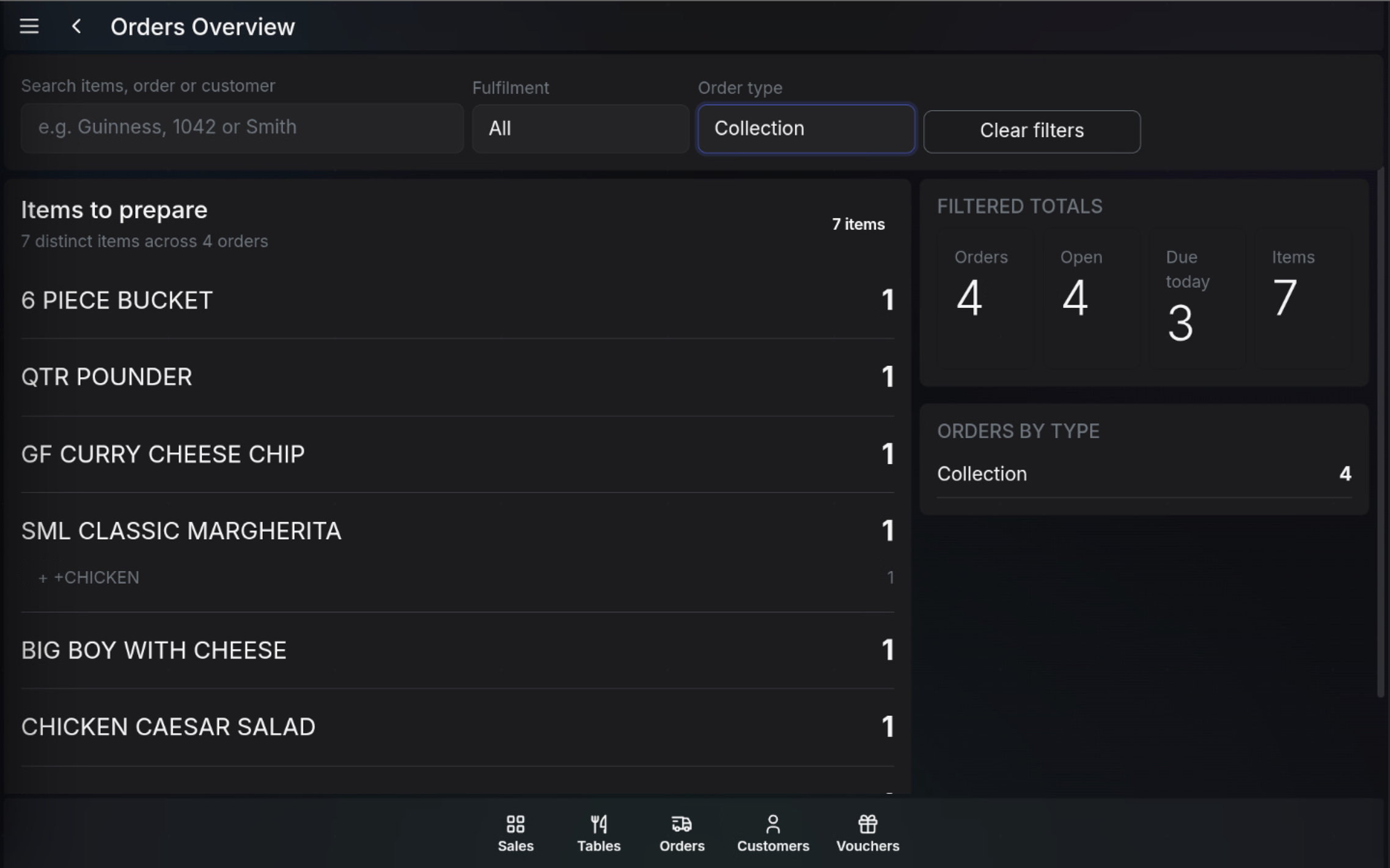
Search and filters
- Search items, order or customer filters the overview by product, order number, or customer name.
- Fulfilment filters the overview by fulfilment timing or grouping.
- Order type filters the overview by order type, such as Collection.
- Clear filters removes the active filters and returns the overview to the wider order set.
Items to prepare
Items to prepare groups products from the matching orders so the team can see the total quantity of each item that needs made. If a product has modifiers or messages, they appear underneath the item.
Filtered totals
- Orders shows the number of orders in the current filter.
- Open shows how many of those orders are still open.
- Due today shows how many are due today.
- Items shows the total item count across the filtered orders.
Orders by type
Orders by type breaks the filtered orders down by fulfilment type, such as Collection or Delivery.
Watch in action
FAQ
Do the overview totals follow the current filters?
Yes. The overview uses the active search, fulfilment, and order type filters.
What is Items to prepare for?
Items to prepare groups matching order items so the team can see what needs made across the filtered order list.