Paying a Table
When the table is ready to pay, open the table, review the order, choose the payment method, and complete the payment.
Review the table
Before taking payment, check the table items and total.
- On larger screens, review the transaction grid.
- On App, press Review to view the table transaction before paying.
Take payment
-
Press Pay.
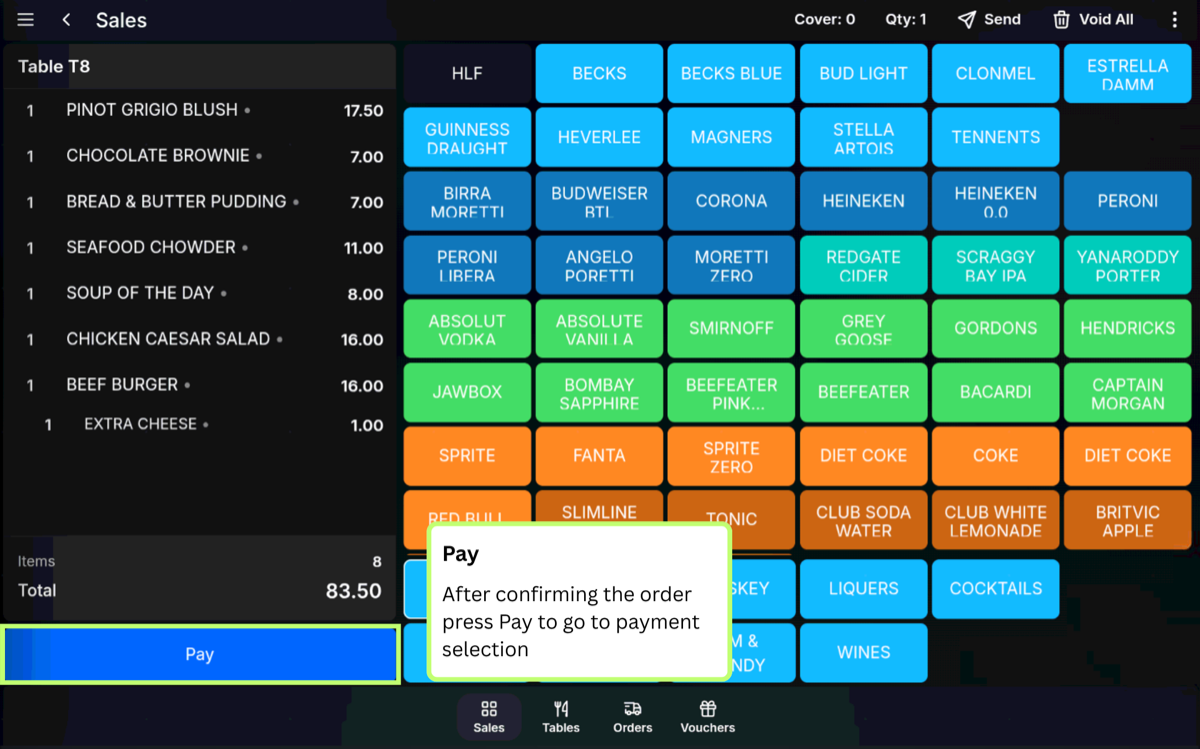
-
Select the customer payment method.
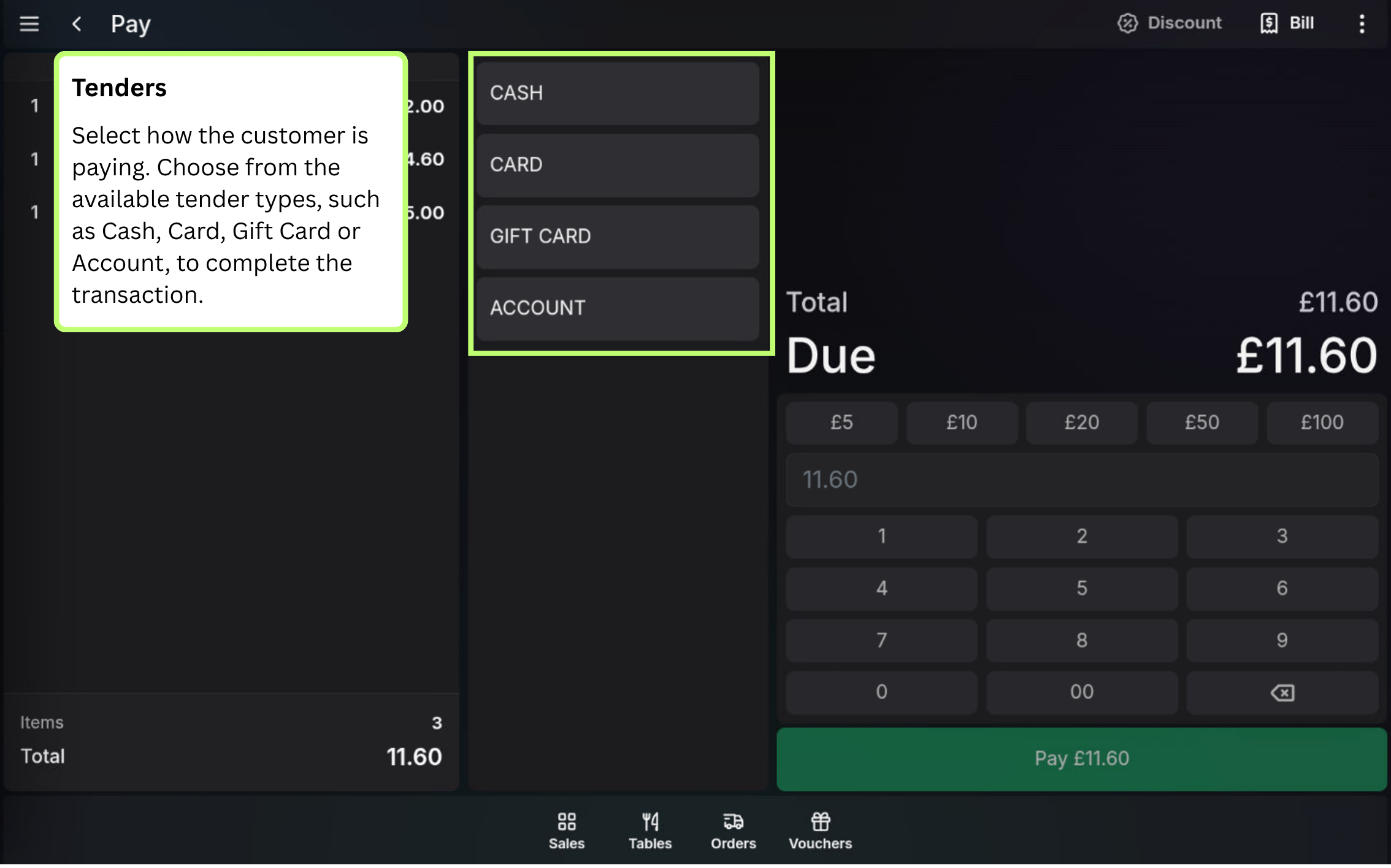
- Complete the payment using the prompts for that tender type.
Table status: Once the table is fully paid, the table is cleared and becomes available again.
FAQ
Can I use the same tenders as a normal sale?
Yes. Use the tender types configured for your site, such as cash, card, voucher, customer account, or another available payment method.
What if the table total is wrong?
Correct the table items, quantities, or voids before completing the payment.