Gift Voucher Gallery
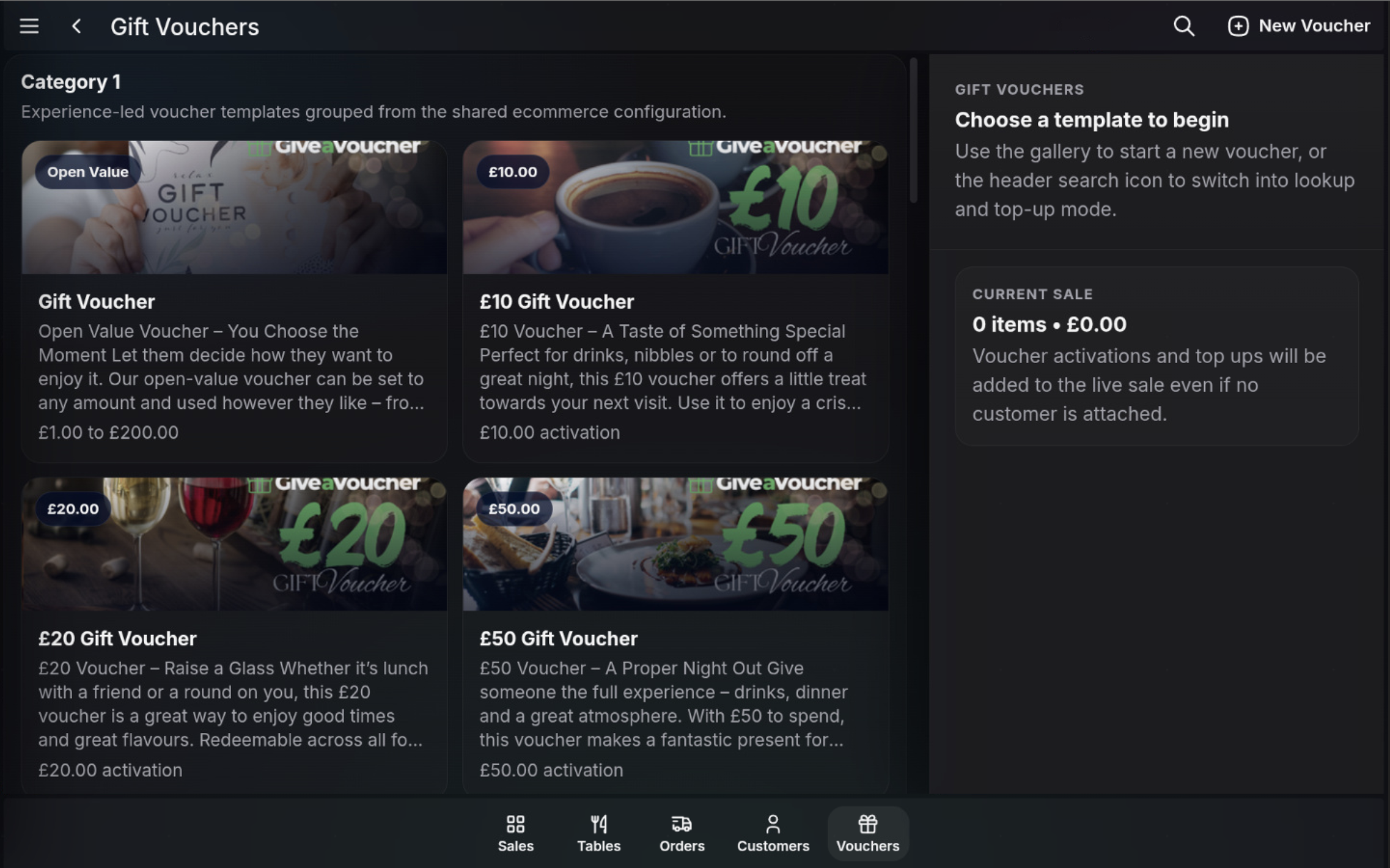
The Gift Vouchers screen shows voucher templates that can be issued from the POS. Voucher activations and top ups are added to the live sale for payment.
Open Gift Vouchers
- Open the POS.
- Select Vouchers from the bottom dock or the Functions menu.
- Browse the available voucher templates.
Choose a voucher template
- Open Value templates allow an amount to be entered within the configured limits.
- Fixed-value templates, such as £10, £20, or £50 vouchers, use the configured activation amount.
- Use the search icon to switch into lookup and top-up mode.
- Use New Voucher to start issuing a voucher.
FAQ
Where do voucher templates come from?
The POS gallery uses voucher templates grouped from the shared ecommerce configuration.
Can I issue a voucher without attaching a customer?
Yes. Voucher activations and top ups can be added to the live sale even if no customer is attached.