Reports Overview
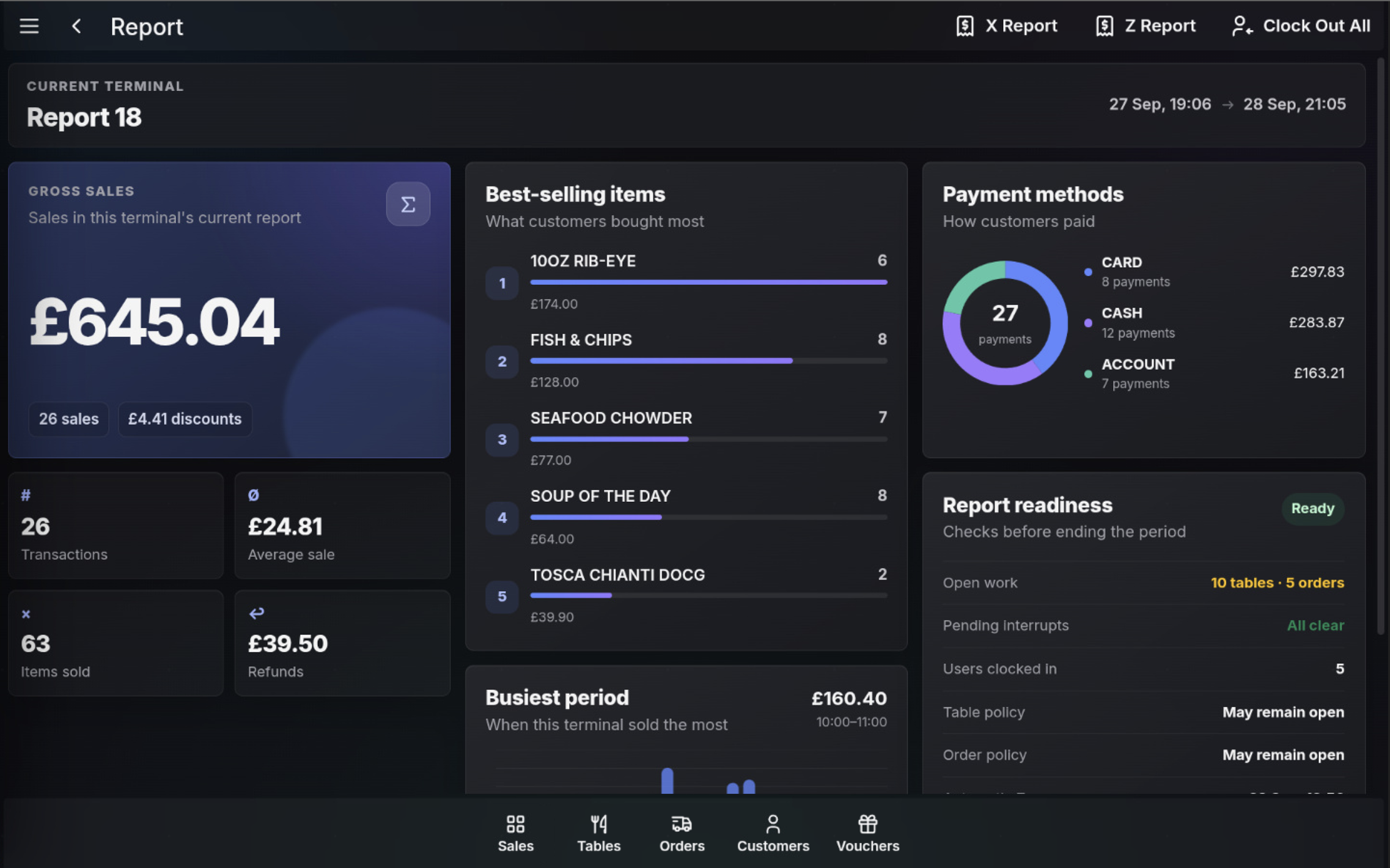
The Report screen shows the current terminal report period. Use it to review sales figures, payment totals, readiness checks, and report actions before printing an X report or ending the period with a Z report.
Open Reports
- Open the POS.
- Open the Functions menu.
- Select Report.
Review the current report
- Current terminal shows the active report number and report period.
- Gross sales shows sales value, sale count, and discount value for the current report.
- Transactions, Average sale, Items sold, and Refunds summarise the trading activity.
- Best-selling items and Busiest period help review product and time-of-day performance.
- Payment methods shows how customers paid.
- Report readiness checks open work, pending interrupts, users clocked in, and site policies before the period is ended.
Report actions
- X Report prints the current report without closing the period.
- Z Report starts the end-of-period process and closes the report when completed.
- Clock Out All clocks out users from the terminal when required at the end of trading.
FAQ
What is the difference between X Report and Z Report?
An X Report prints the current report figures without closing the period. A Z Report ends the current report period.
What should I check before running a Z Report?
Review Report readiness and resolve anything that must be cleared, such as open work or pending interrupts, according to the site policy.