Transfer All
Use Transfer All to move the full order from one table to another table.
Transfer all items
-
Select Actions, then select Transfer All.
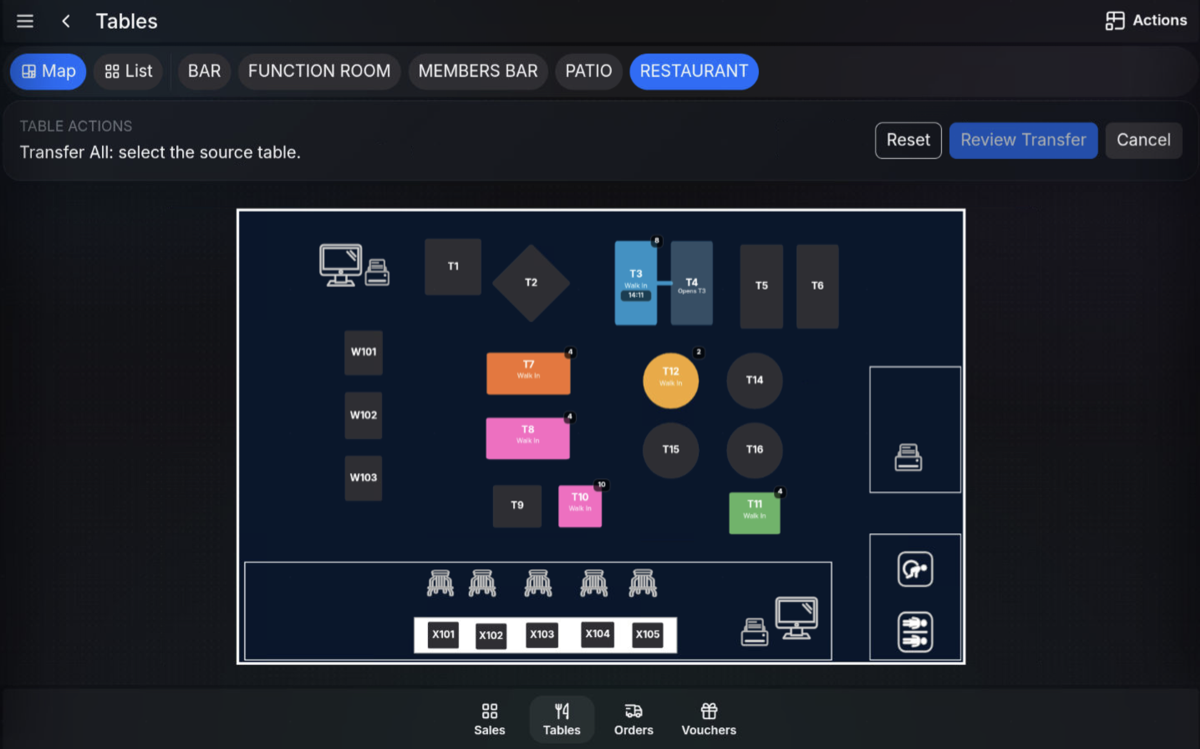
-
Select the source table.
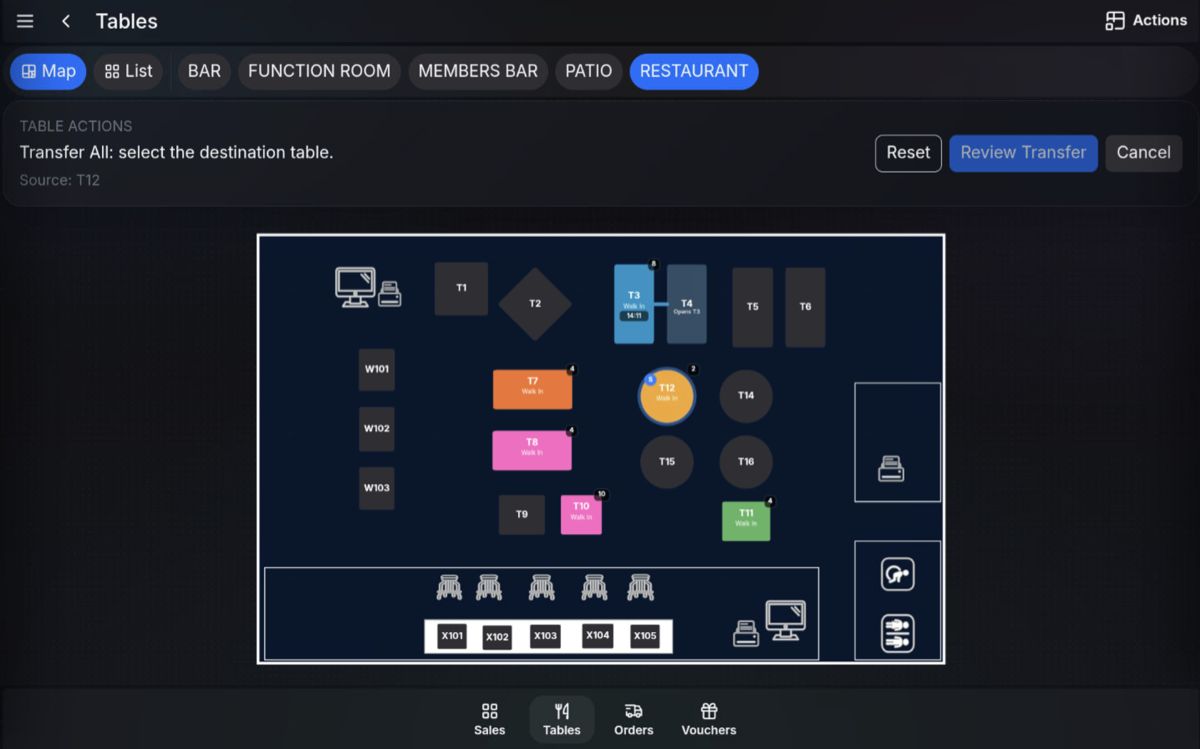
-
Select the destination table.
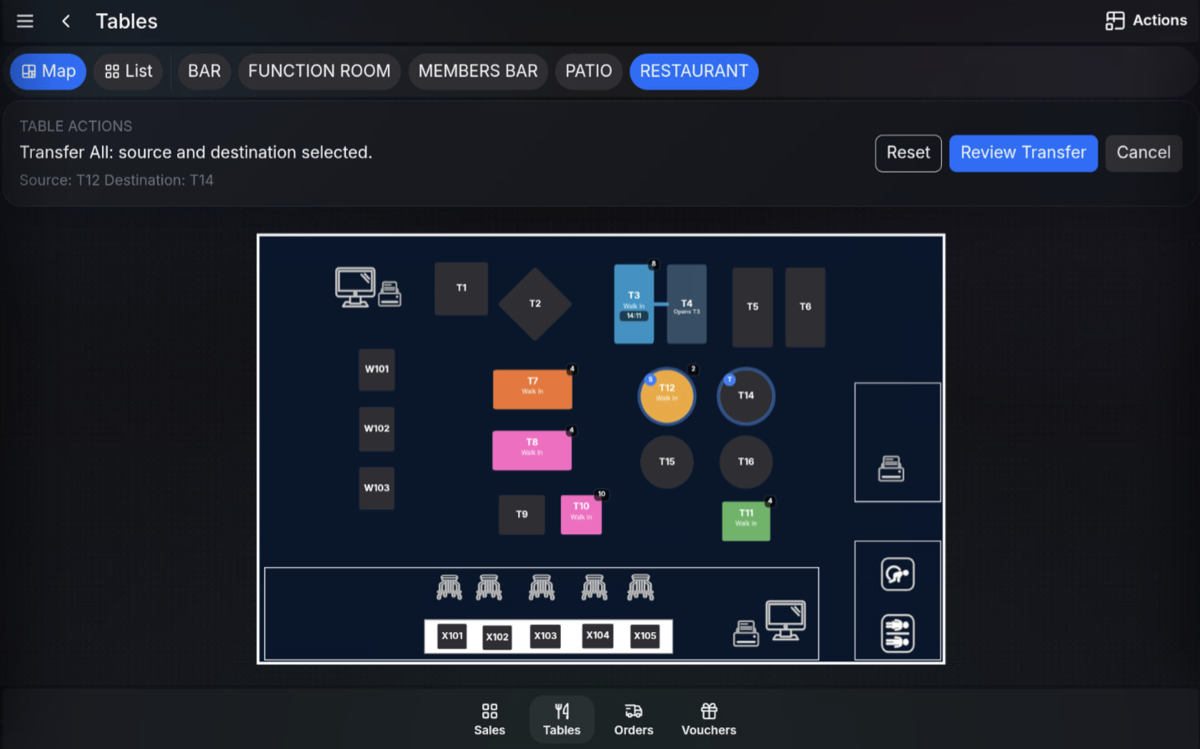
-
Confirm the transfer.
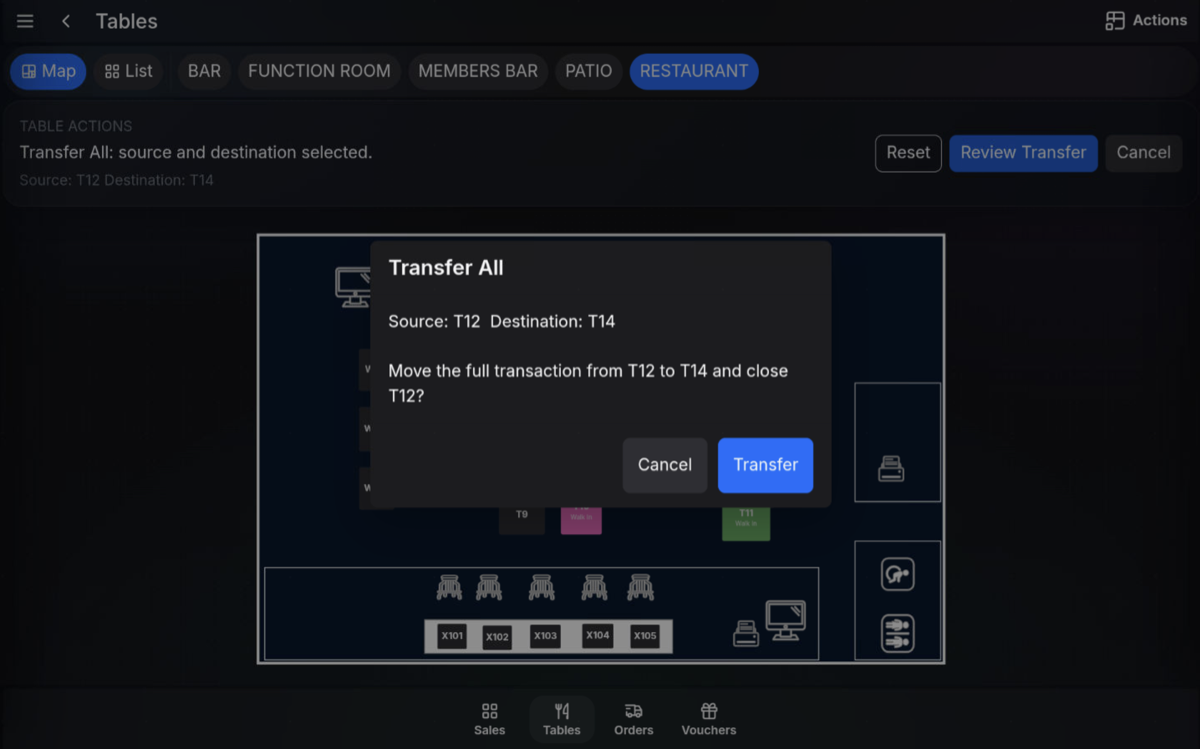
Transfer between two open tables
If the destination table is already open, Transfer All can be used to join the two bills together.
- Select the open source table.
- Select the open destination table.
- Confirm that you want to join the two bills.
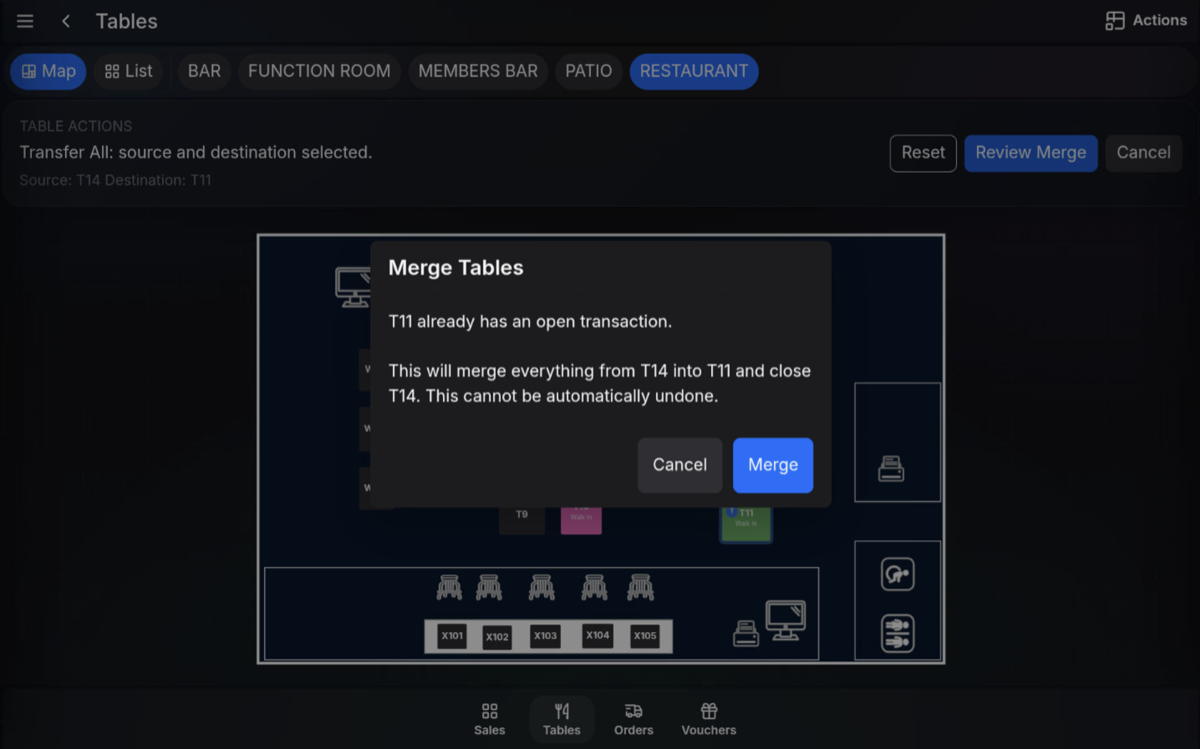
After the transfer
The full order moves to the destination table. The original source table is cleared and the destination table shows the transferred order.
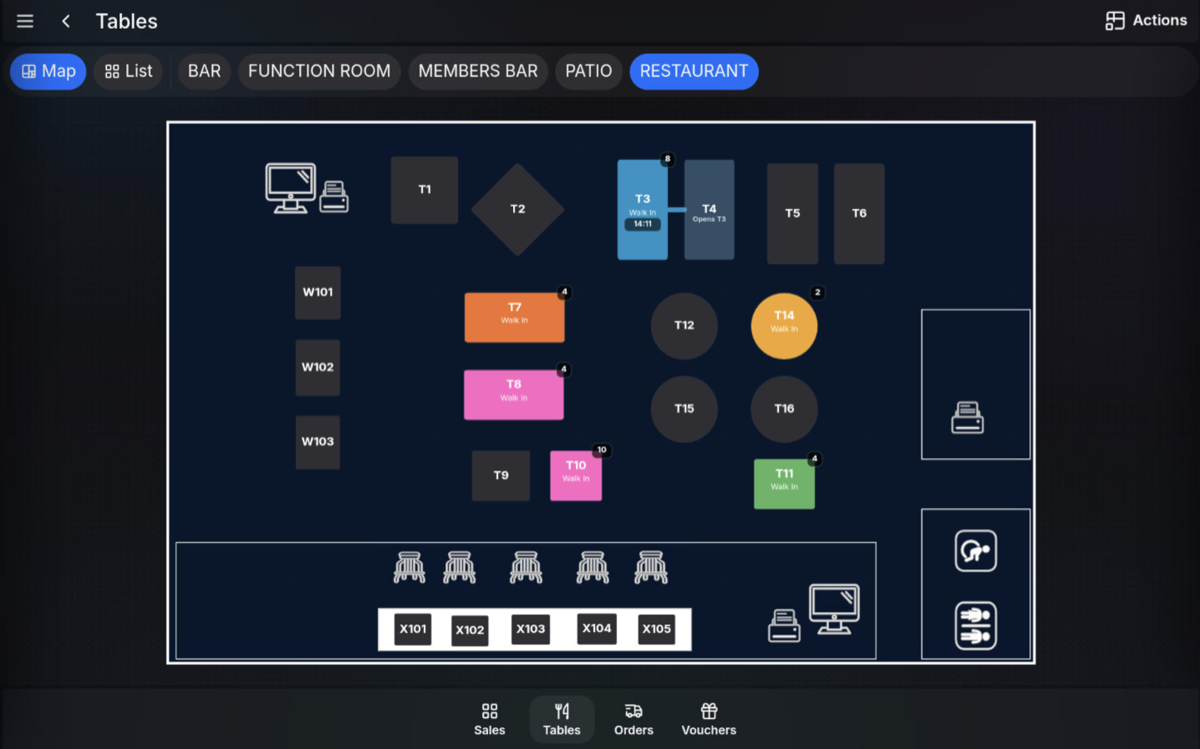
Before confirming: Check the source and destination tables carefully, because Transfer All moves the complete table order.
FAQ
Does Transfer All move every item?
Yes. It transfers the full order from the source table to the destination table.
What happens to the original table?
The source table is cleared after the order is transferred to the destination table.