Transfer Item
Use Transfer Item to move selected products from one occupied table to another occupied table.
Occupied tables only: Both the source and destination tables must be occupied. To transfer items to a new table, open the new table first.
Transfer selected items
-
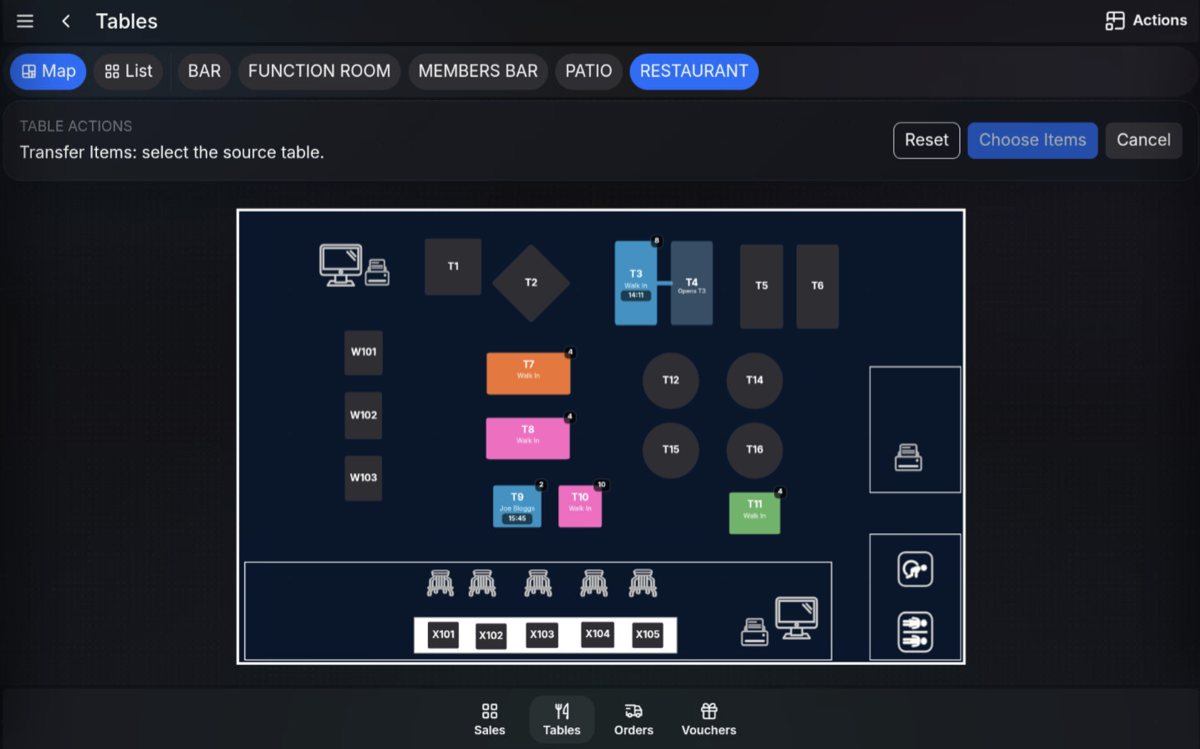
Select Actions, then select Transfer Item.
-
Select the source table.
-
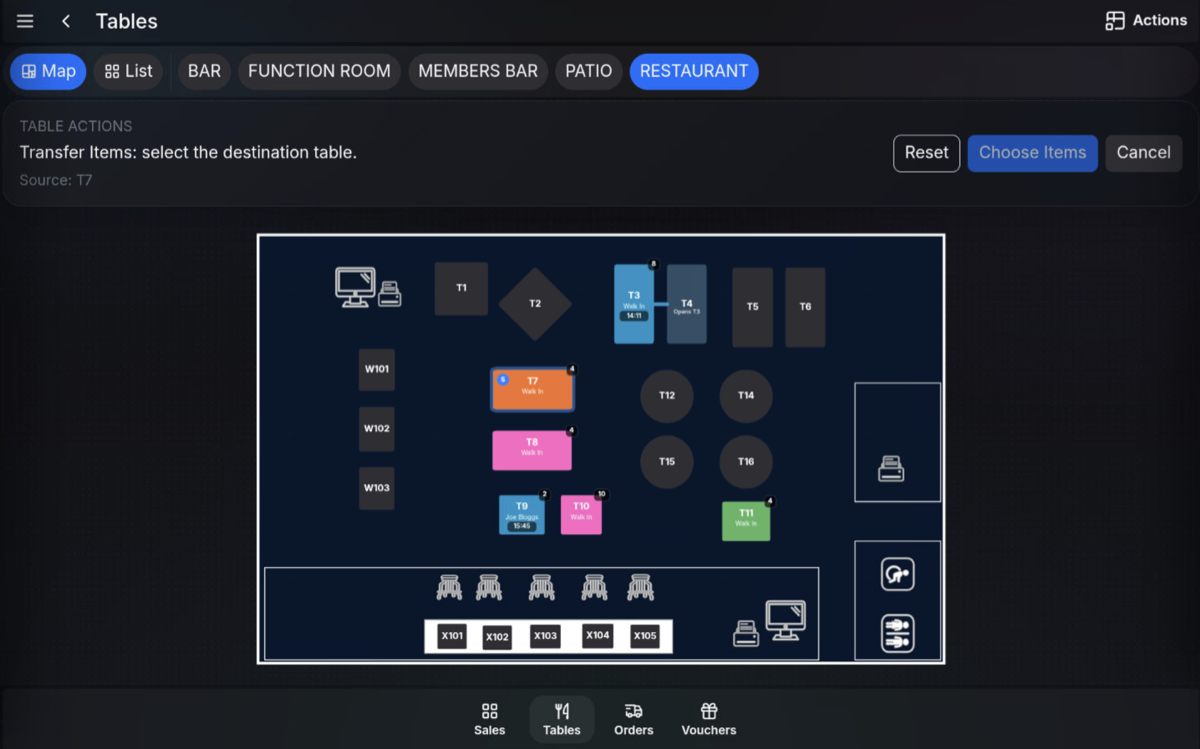
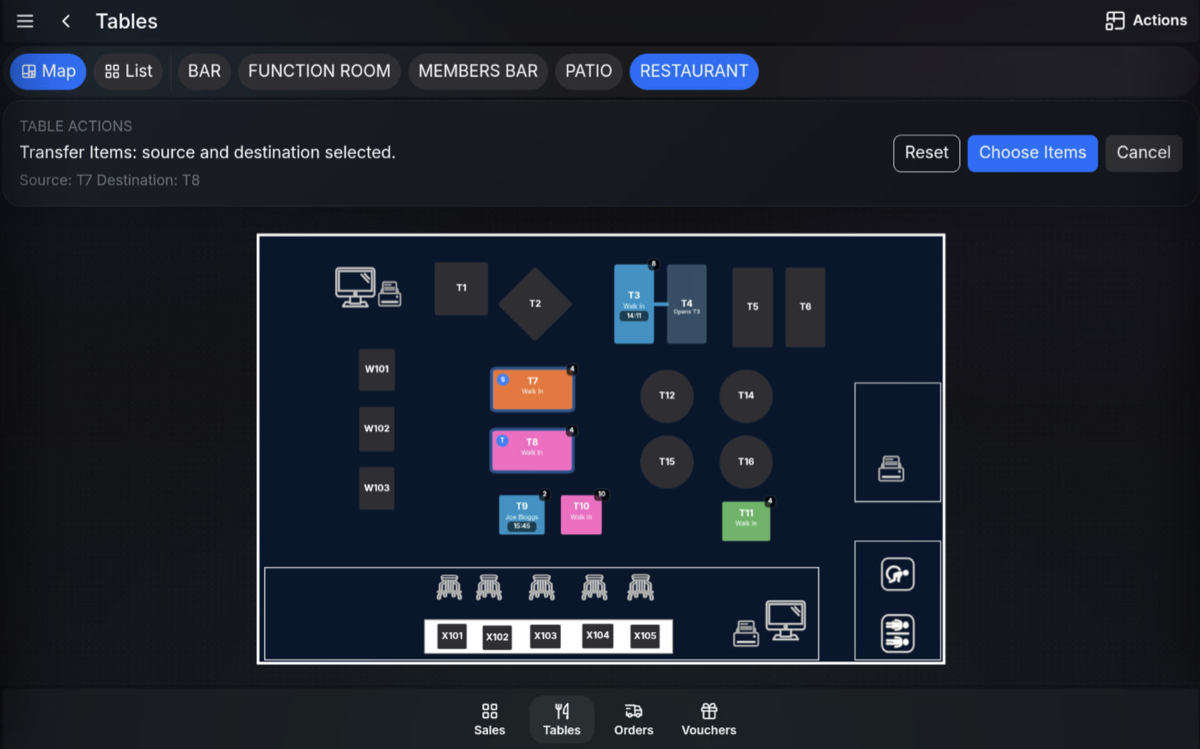
Select the destination table.
-
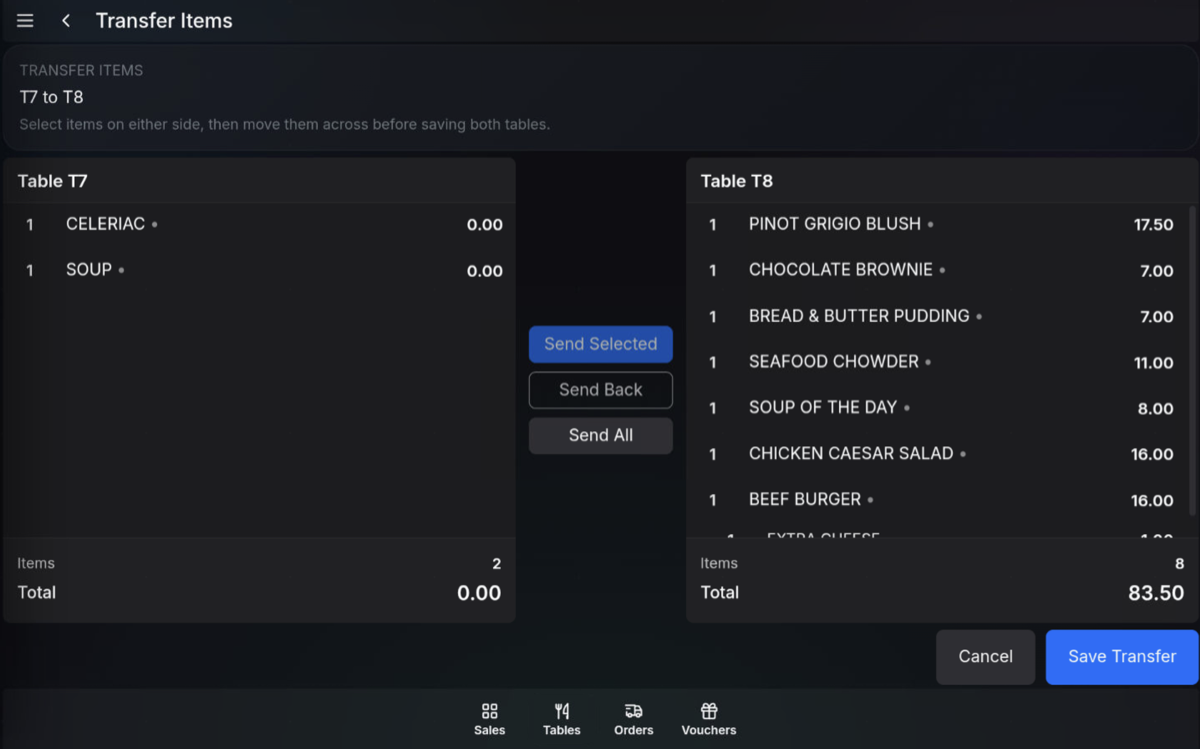
Highlight the item or multiple items to transfer.
-
Press Send Selected to move the highlighted items to the destination table.
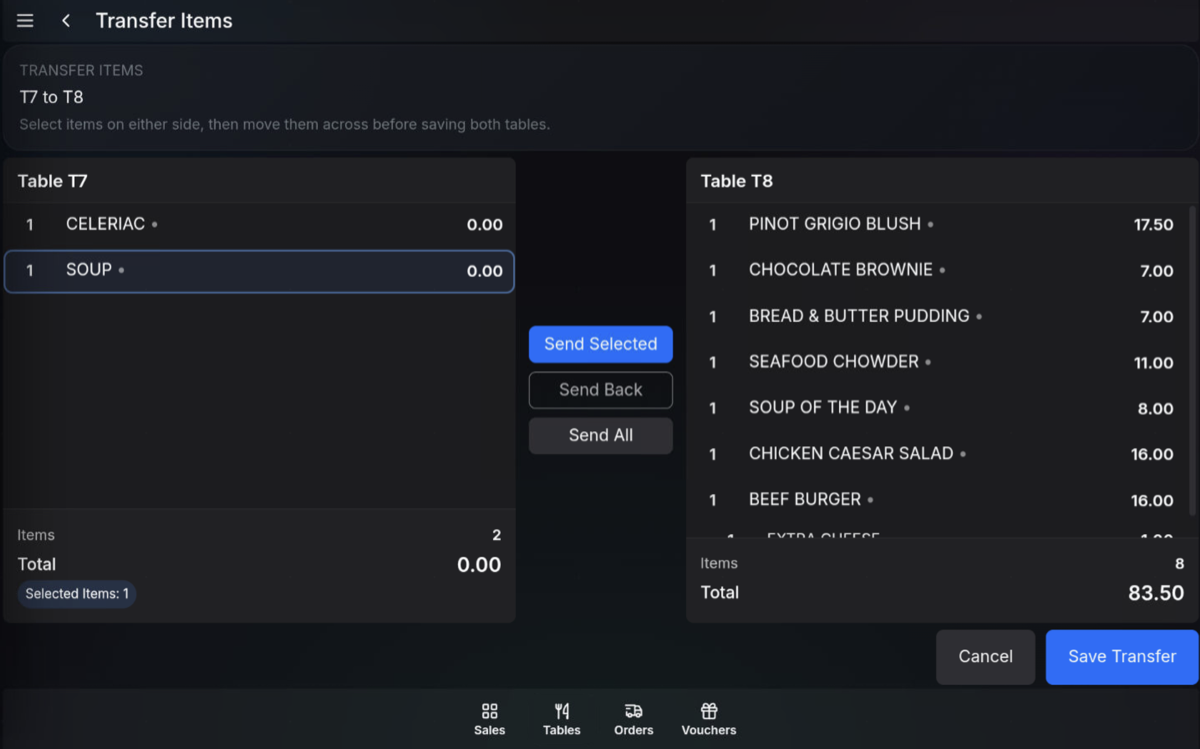
-
Review the moved items.
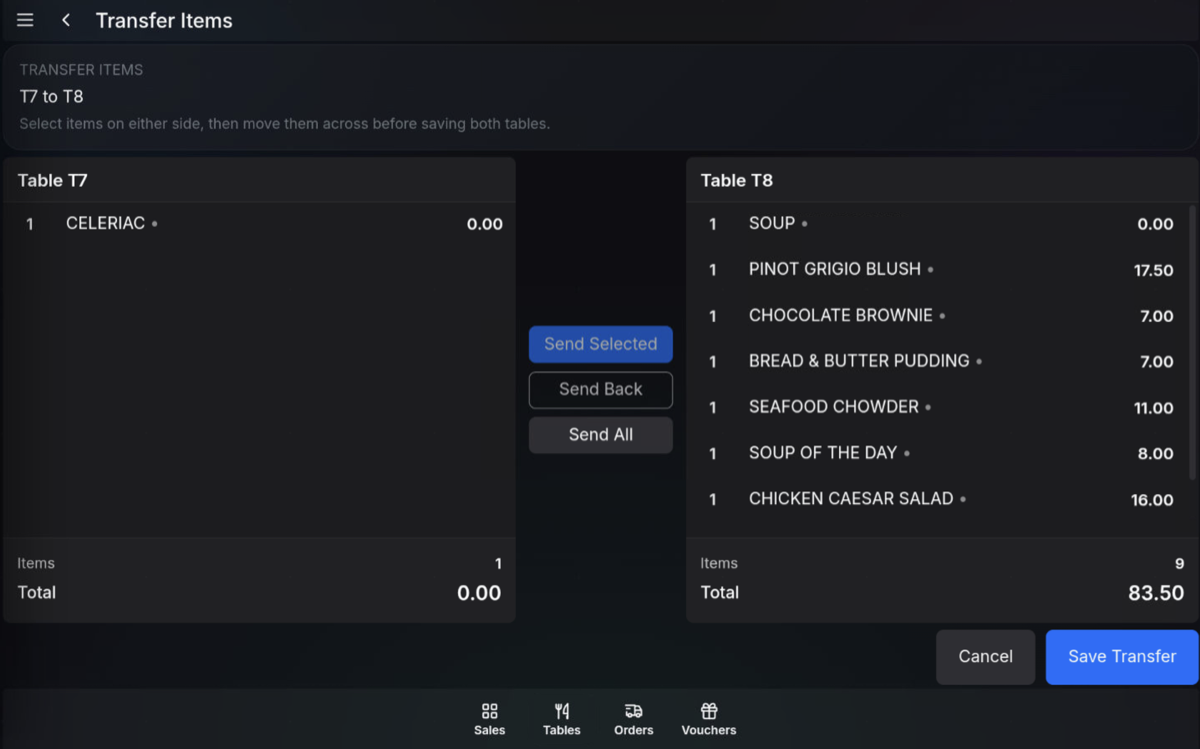
- Press Save Transfer to complete the transfer.
Send items back
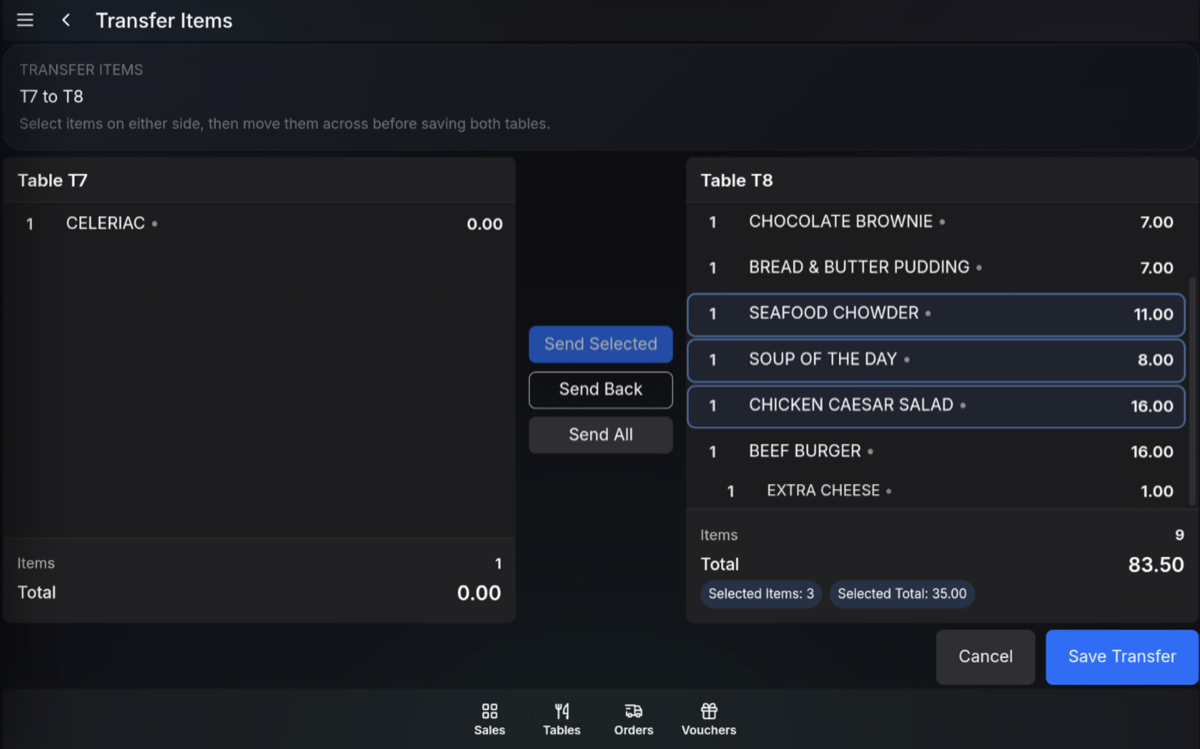
If you move the wrong item, highlight the item and use Send Back to move it back the other way before saving the transfer.
Send All
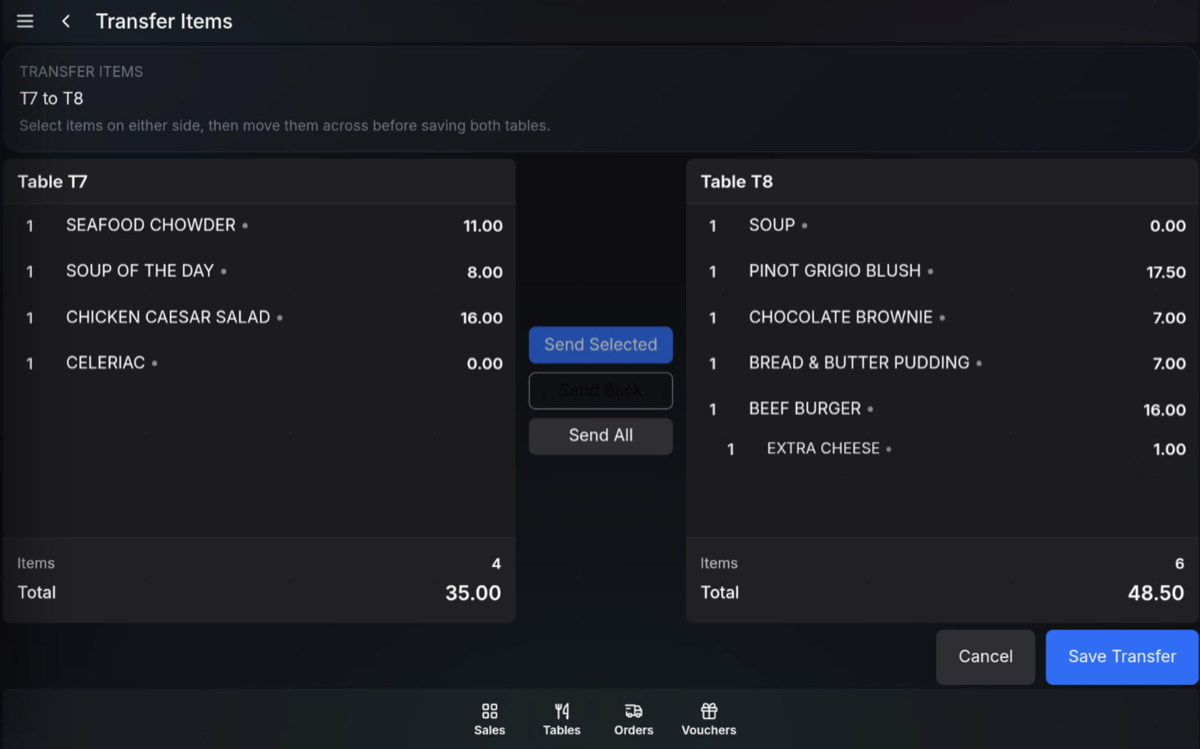
Send All transfers all items from the source table to the destination table.
Send back: You cannot use Send All to send everything back again. Select the items you want to move back, then use Send Back.
FAQ
Can I transfer items to an empty table?
No. The destination table must already be occupied. Open the new table first, then use Transfer Item.
Can I transfer more than one item?
Yes. Highlight multiple items, then press Send Selected.