TapaGo Navigation
The TapaGo sales screen is where products are selected, added to the transaction, and paid for. The exact layout can vary by terminal size and business setup, but the main areas work the same way.
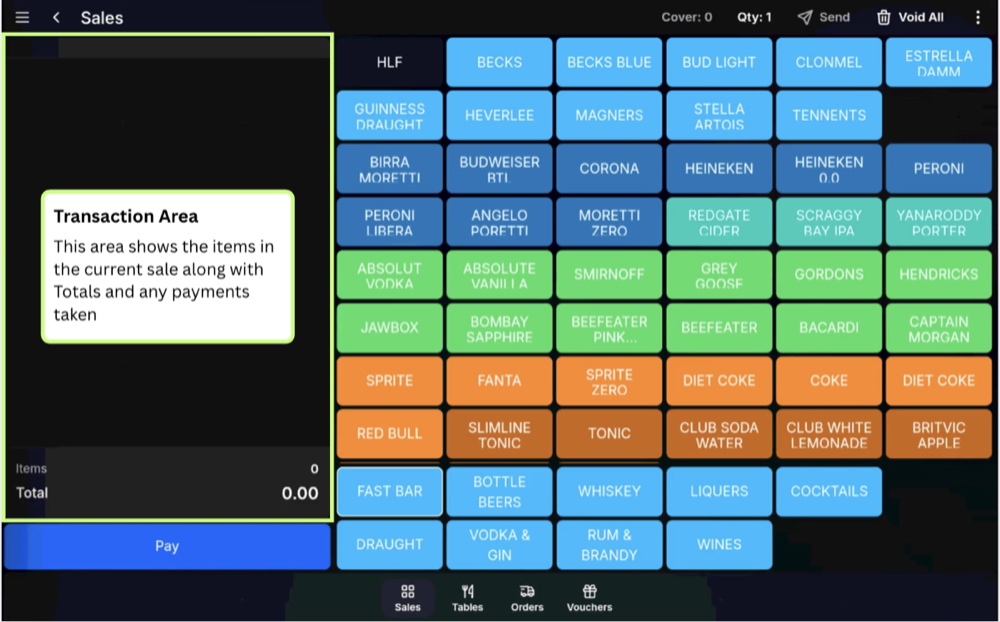
Transaction area
On larger screens, the transaction grid shows the items currently on the sale. As products are selected, they appear here with their quantity, description, and price. The sale totals are shown below the grid.
On smaller devices, there may not be a transaction grid visible while products are being selected. Instead, you review the transaction before taking payment.
Lookup menus
Lookup menus are the menu or section buttons used to choose which products are shown. On larger screens, they are usually shown along the bottom of the sales screen. On smaller devices, they are shown along the top.
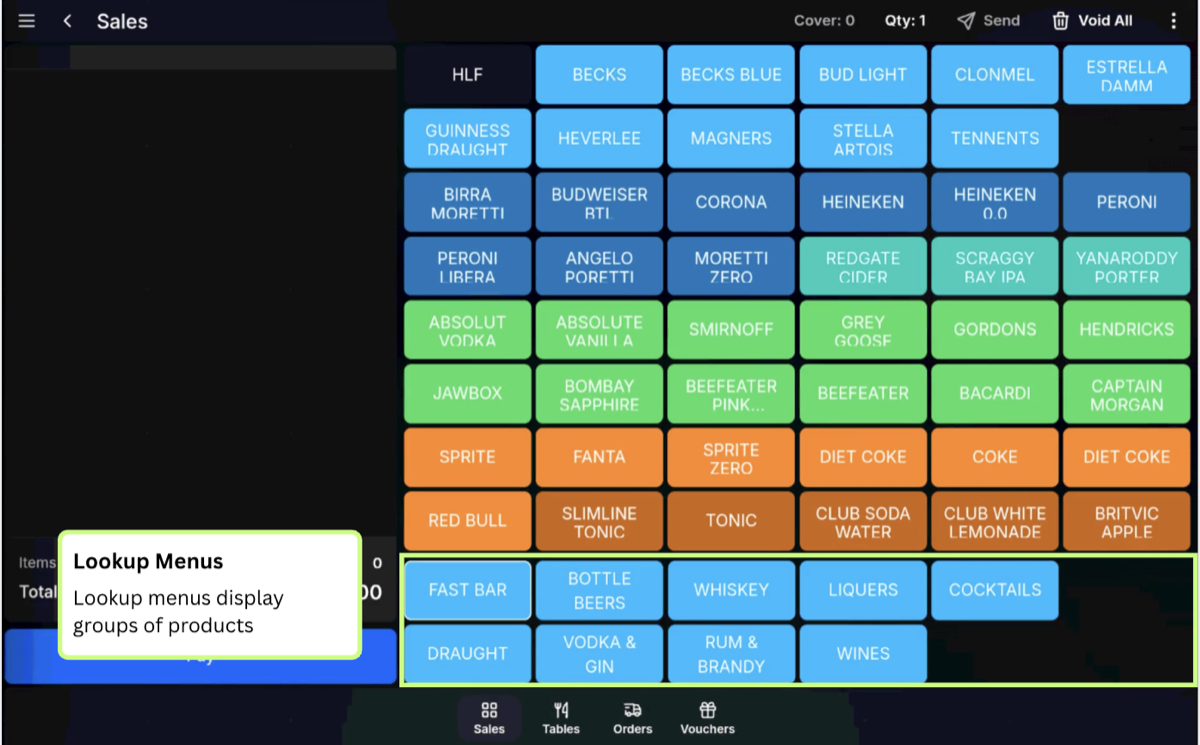
For example, Bar and Food may be menu groups. Within Bar, lookup menus might include Draught Beer, Bottled Beer, and Spirits. Within Food, lookup menus might include Starters, Mains, and Sides.
When you press a lookup menu, the product buttons for that menu or section are shown on the main part of the screen.
Moving through lookup menus
If there are more lookup menus than can fit on screen, swipe left or right through the lookup menu area to move between groups of menus.
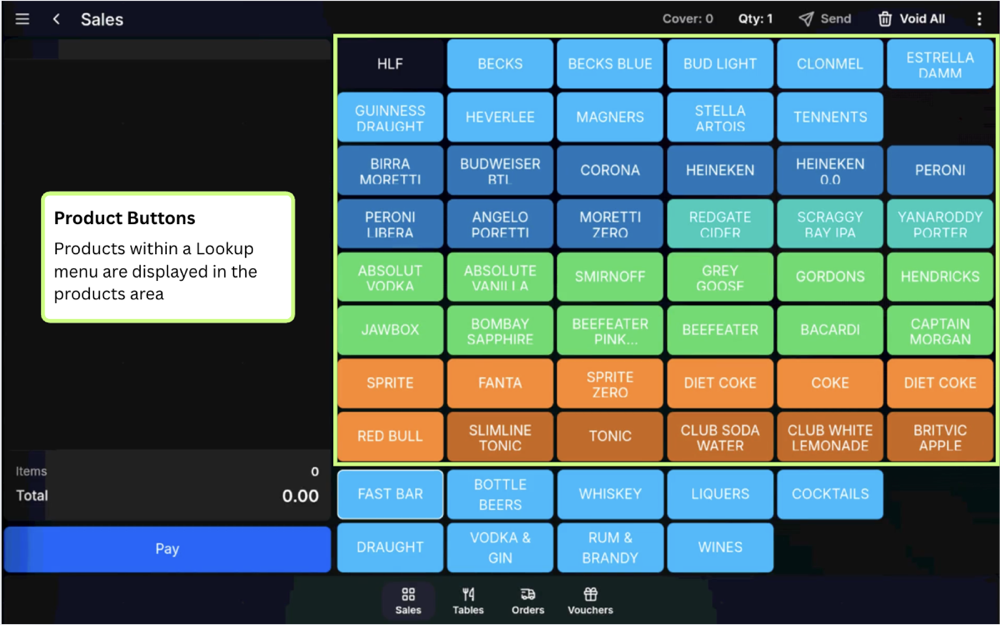
Product buttons
Product buttons add items to the current transaction. Different button types can sell a product immediately or prompt for extra choices, modifiers, or messages.
Moving through products
On larger screens, swipe up and down through the product area to show additional products.
On smaller devices with limited screen space, you may need to swipe left, right, up, or down to move through the available products and menus.
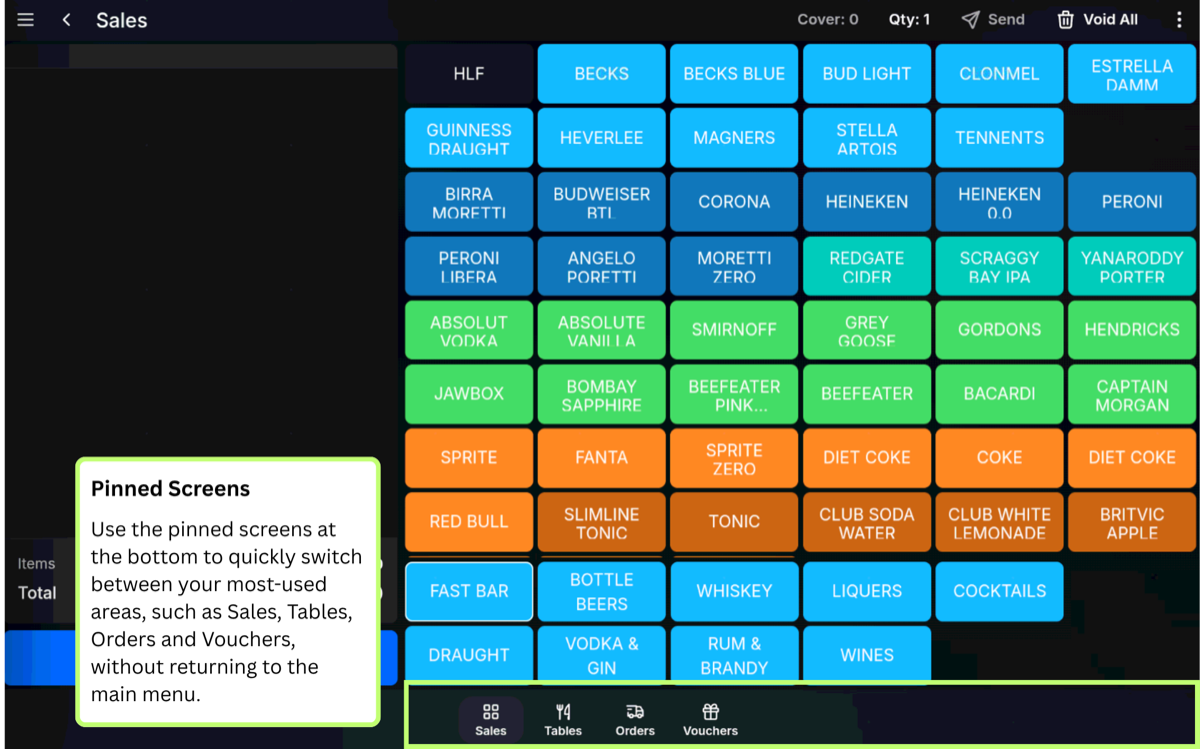
Pinned screens
Pinned screens provide quick access to commonly used POS areas or functions from the sales screen. They are selected as pinned items in the dock.
Video walkthrough
FAQ
What is the transaction grid?
On larger screens, the transaction grid is the list of items currently on the sale, including quantities, product names, and prices. On smaller devices, review the transaction before payment instead.
What are lookup menus?
Lookup menus are the menu or section buttons used to change the products shown on screen. They are usually along the bottom on larger screens and along the top on smaller devices.